Web Core Experience — a design system for a multi-device, multi-product website
One website, many devices and many products, and a way of working that could not keep up. That was a large problem, and it held back every team that wanted to build something new. I led the design vision and the team behind a design system that let nextflowersuk.com serve personalised experiences across devices and products.
Founding member of the Web Core Experience team.
Vision, roadmap, and team build-out.
A multi-device, multi-product retail website.
Marketing, merchandising, and the design team.
What Web Core Experience is
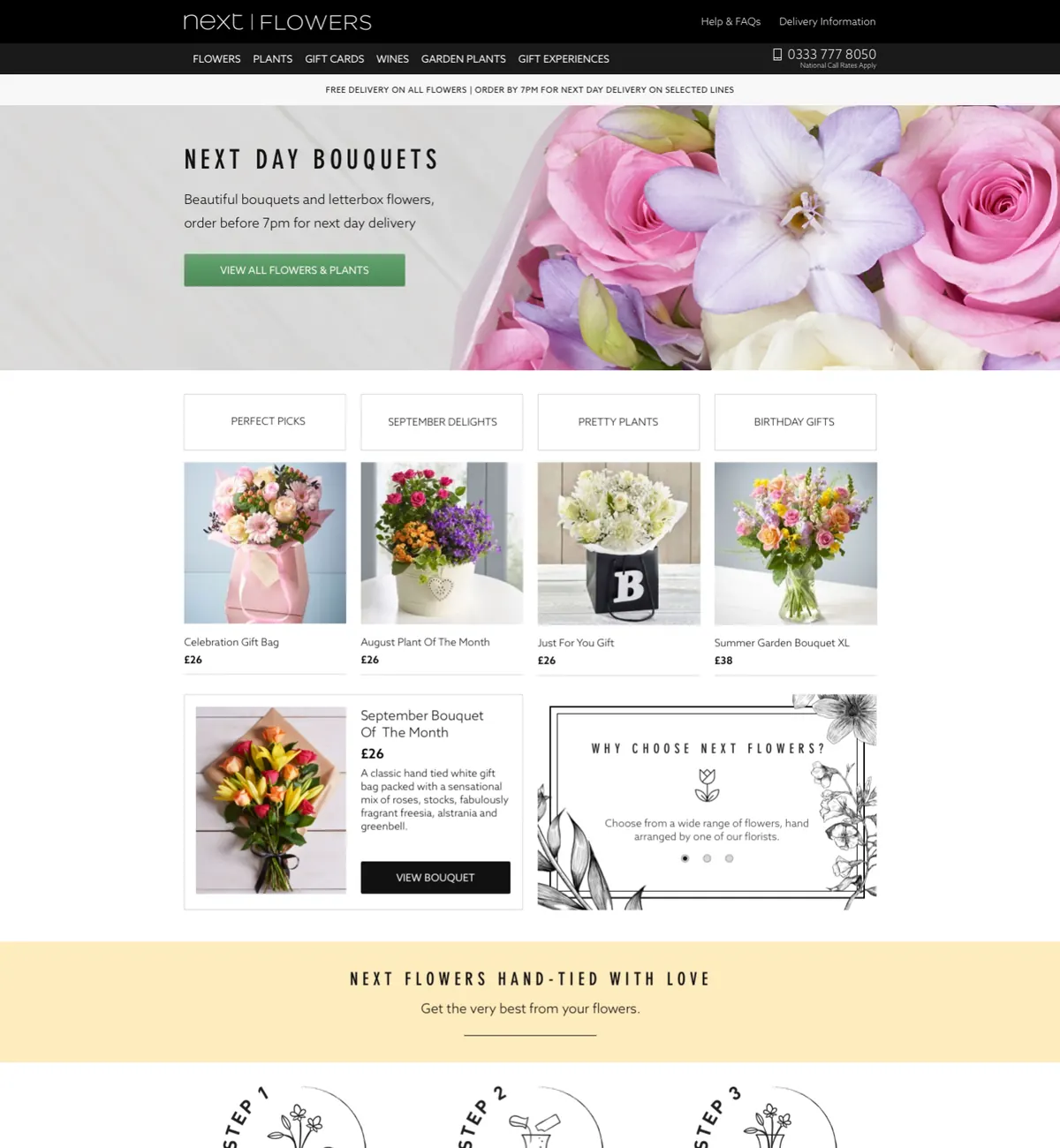
The problem was large. The website was built for one device and judged by one metric, so each new idea meant bespoke code, heavy coordination, and a new way of measuring success. Web Core Experience was designed to solve that across every device and product. It is an ecosystem of frameworks, tools, and features that works across devices, changes how teams build and measure personalised experiences, and how they collaborate on the next product.
I was a founding member. My job was to set the design direction, win leadership support, plan the roadmap with product partners, and build the design team that would own the system.
Design direction
Set the vision for a multi-device, multi-product website.
Roadmap
Turned the vision into tangible outcomes with product partners.
Team
Built a strong design team to own the system.
One device, one metric
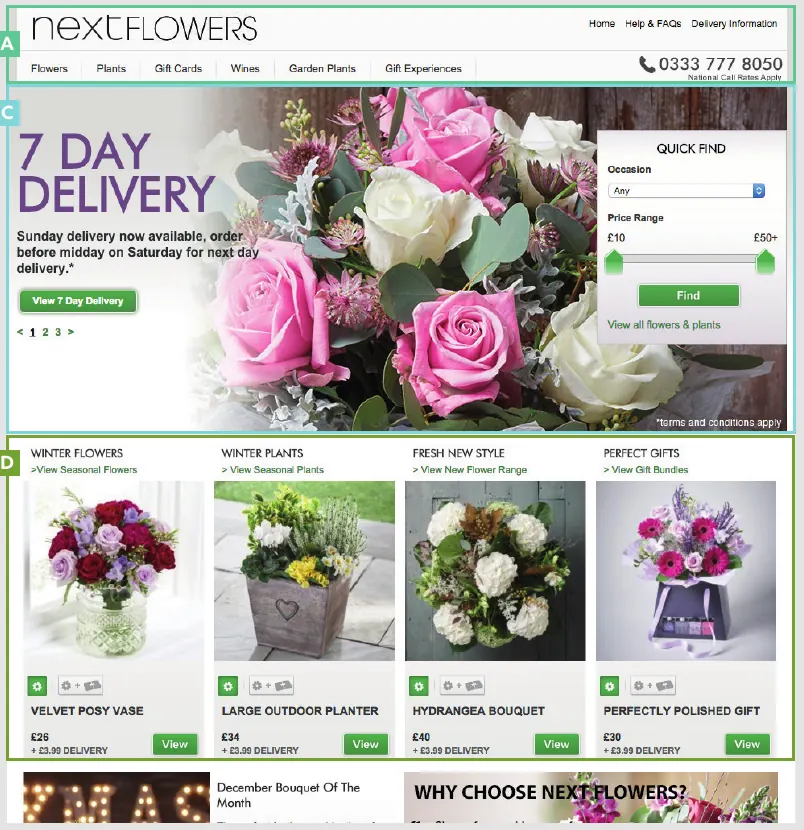
For a long time the website was built for a single device, desktop, and judged by one business metric: how many products were brought online. Product teams could explore any idea as long as that metric held. The result was no shared approach to personalisation, and we were not meeting users’ different needs beyond buying flowers online.
Every new feature also meant bespoke code, a lot of coordination with other teams to find a place on the page, and each team inventing its own way to measure success.
Designing the ecosystem, not a single page
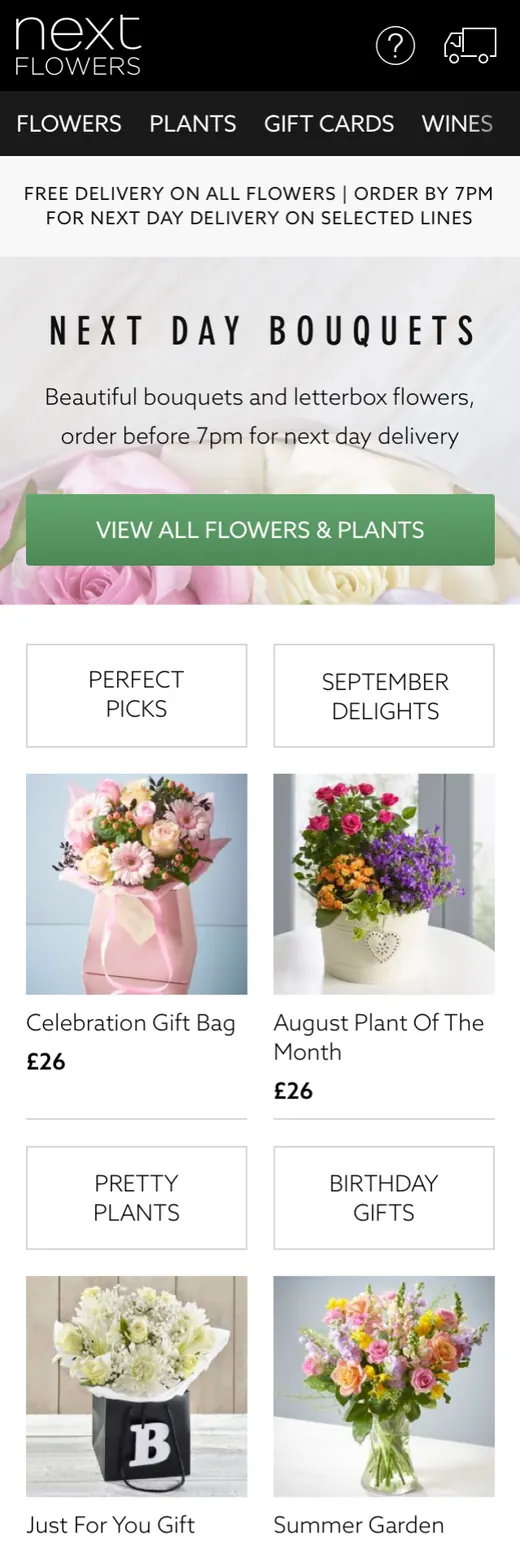
With research and product partners I set out a design vision for a multi-device, multi-product website. The vision only worked if the building blocks were shared, so I argued for a design system as the foundation. I worked with engineering to design how that ecosystem would fit together.
How the ecosystem fits together
A simplified view. The production diagrams were far more detailed.
Why the homepage
I chose the homepage to test the system. It gets the most organic visitors and serves the widest range of use cases, so any weakness would show quickly. I wrote a pitch deck covering the problem, the proposed solution, and the homepage case, and used it to gather buy-in, feedback, and collaborators.
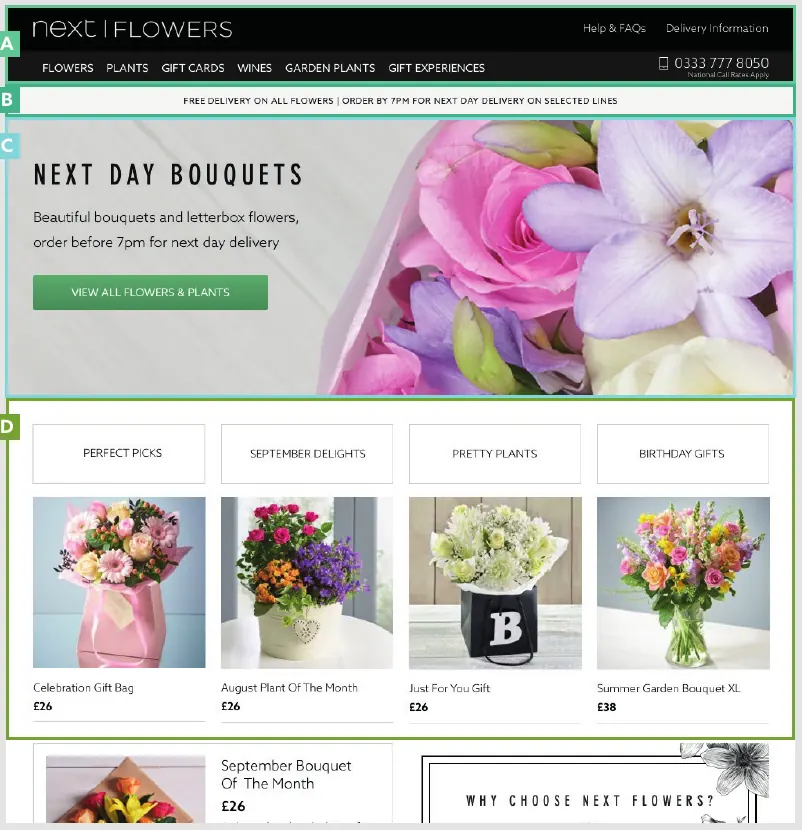
User research showed that the most visible problem was how products and promotions were displayed. There was no clear hierarchy between promotional elements, no shared components, and no page-level rules for placement. Promotions competed with each other, and the business had no single way to measure each placement.
Primary and secondary promotions
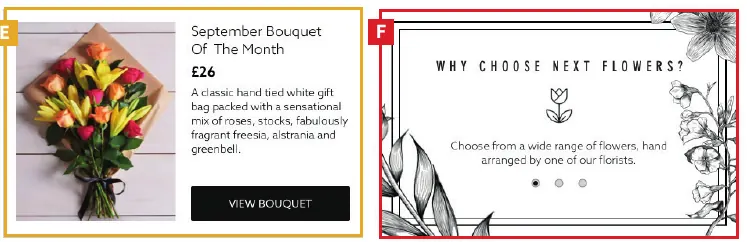
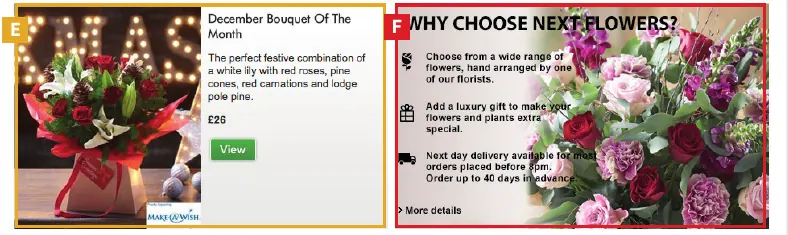
The design team and I introduced two campaign types: primary promotions, which lead the page, and secondary promotions, which support them. We designed a hero component and banner components for each type, and defined how they are placed depending on the visitor’s context.
One lead promotion
The hero is reserved for the primary promotion, so the page has one clear focus.
Support, not compete
Banners and carousels sit below the lead and never fight it for attention.
Every placement has an owner
Each slot has a named owner and a measured outcome.
Order comes from rules
Placement order follows defined rules and context, not the last request.
From brief to measured results
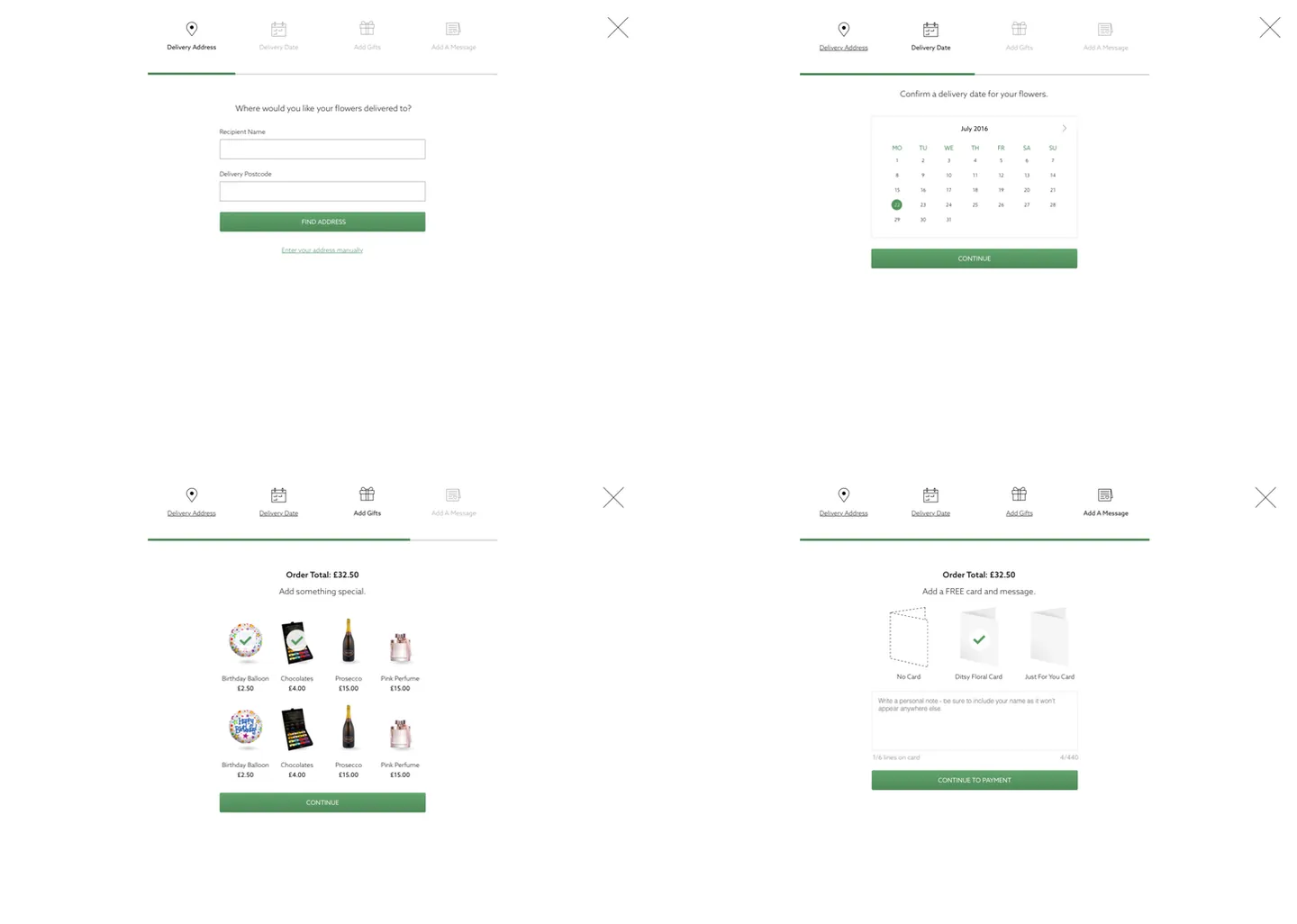
Campaigns were the first use case for the Merchandising Platform. Content creators and product teams could build, review, and monitor campaigns from one place, following one order process so governance stayed consistent.
Who owns what
A process only works when everyone knows what they own. I mapped the stakeholders across marketing and technology, and documented what each role does and why it matters.
Marketing
Plans the campaigns, supplies the content, and owns the campaign goals.
Web Core Experience design
Owns the components, the placement guidance, and the design standards.
Web Core Experience tech
Builds and integrates the components into the platform and keeps it running.
Product teams
Set the placement goals and use the performance data to decide what runs next.
This summary reflects the roles as documented. The full role documentation was internal.
Testing on smaller campaigns first
Smaller audiences first
I mapped a campaign calendar and started with smaller audience campaigns to test, learn, and iterate. We ran Flash Deals and a Super Deals campaign first. The largest test was the Valentine’s Day campaign, where the target was to launch the latest app two weeks before the day.
A hero with no campaign
In parallel, we tested a version of the hero with no campaign in it. The goal was to give more prominence to search and other primary actions, and to bring more consistency and brand awareness to the page.
People and practice
I worked with product managers to design a new team structure, then recruited core and senior designers. In onboarding I set up regular one-to-ones to understand each designer’s ambitions, strengths, and growth areas.
A longer-term vision
We extended the design vision beyond the homepage and gave each designer ownership of part of it.
Shared rituals
Design critiques, weekly jam sessions, and dogfooding sessions, so we learned from each other.
Clear ways of working
I defined how the design team collaborates and facilitated the sessions at several cadences.
It was the largest team I had worked with. It brought real challenges in conflict and expectation management, hiring, and building complex systems together.
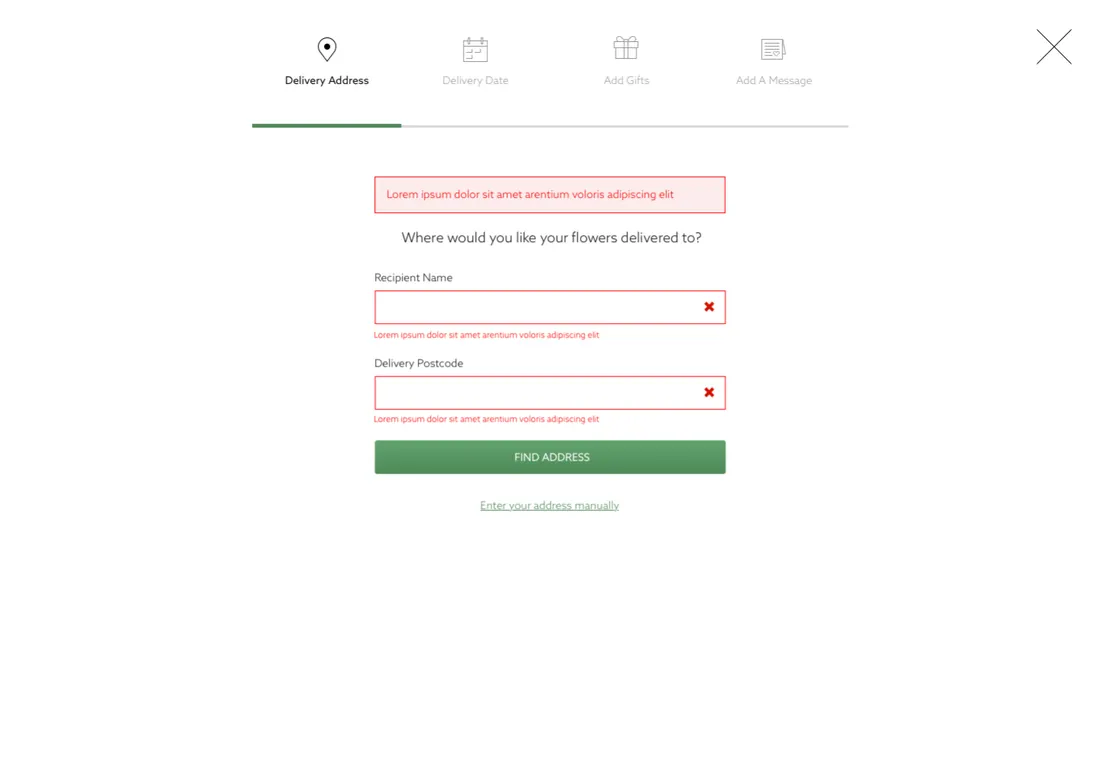
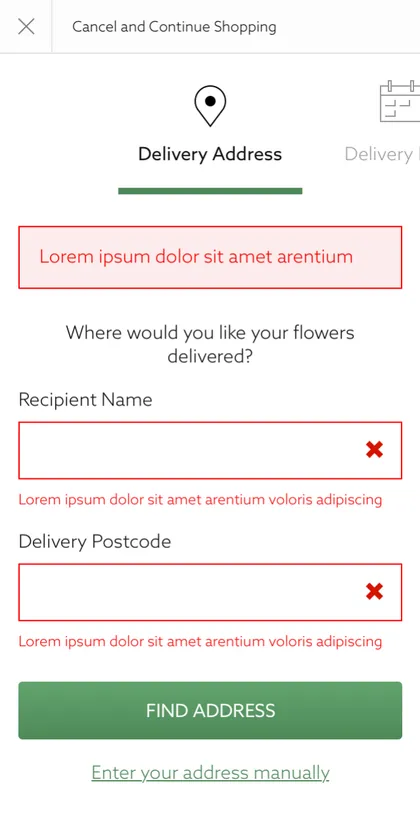
Errors are designed too
A component is not finished until its states are designed: the default, the error, and the edge cases. Each form component in the library defines its error states, so teams do not reinvent them.
What changed
In about a year the Web Core Experience team built a modern framework that can be extended to any context. It had a clear effect on customers and on the business.
The all-device ranking algorithm improved the homepage by serving more use cases and increasing customer equity.
The framework and hero component raised campaign awareness, efficacy, and transactions.
The no-campaign hero improved search, account registrations, and cross-product navigation.
The new recent searches and SEO blocks increased conversion and primary actions.
What I took away
On a personal level, this project taught me a great deal about business-to-customer design and how a system can make experiences more contextual. As a leader, it taught me about conflict and expectation management, hiring, and building complex systems with many people.
The system kept growing
Web Core Experience stayed in my scope and expanded into more product areas. As other teams adopted the way of working, the design team spent more time teaching: in peer sessions, talks, and documentation.
ROLE ID — Workforce Assignment Management
Reassigning roles across properties, markets, and regions with bulk workflows.