ROLE ID — Workforce Assignment Management
Administrators were reassigning employee roles by hand, one row at a time, across more than 30 properties every time someone moved. That was a large, error-prone problem with real operational risk. The redesign solves it with automated transitions, bulk reassignment, and coverage gaps that stay visible.
Research, IA, Prototyping, Validation & Stakeholder Alignment
Before Development Kickoff Handover to Developers
Property Admins, POs & BAs, Admins & Operations Team
70% Automated
Understanding User Friction
The problem was bigger than a single screen. The legacy tool forced administrators to unbind assignments by hand across 30+ properties every time someone moved. Solving it meant understanding the people who lived with it every day, so I ran in-depth interviews with administrators, operations leads, product owners, and business analysts who operated the legacy tool daily.
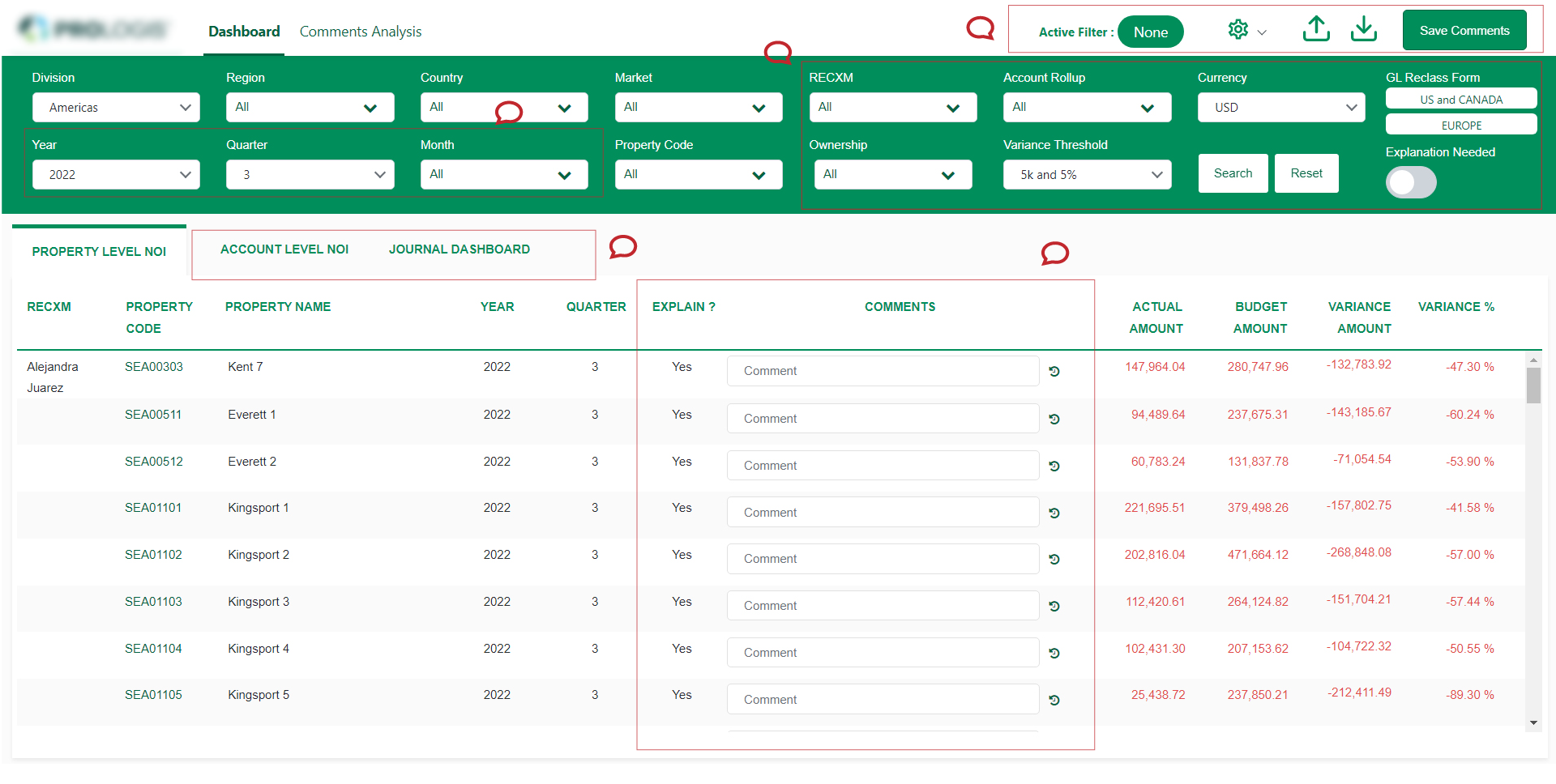
The legacy interface crammed dozens of tabular columns without clear visual priority, causing users to get lost when managing complex portfolios.
Access is restricted to role based filtering and searching. Over 20 nested filter dropdowns created cognitive paralysis. 80% of daily users relied on only 2 quick filters (Region & Property Name).
When an employee transitioned, administrators had to individually open each assignment row across 30+ properties and unbind them manually.
Card Sorting & Hierarchy Workshops
Conducted open and closed card sorting exercises with cross-functional stakeholders to define clear decoupled hierarchical mappings between Employees, Roles, Markets, Properties, and Regions.
Decoupling Roles from Flat Spreadsheets
In the old system, properties and employee records were tightly coupled in a monolithic schema. Card sorting sessions revealed three primary mental models:
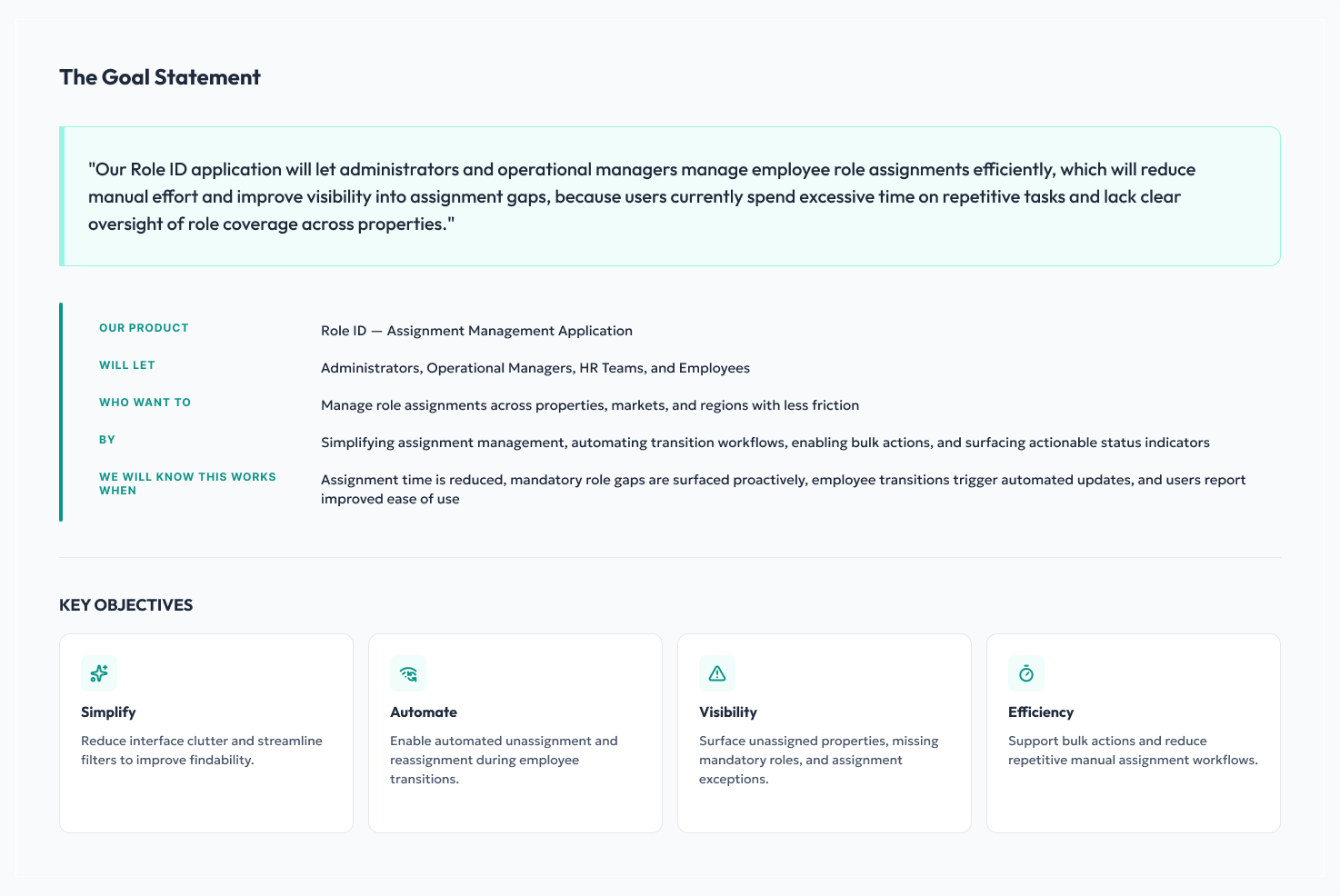
Four Guiding Principles
Prioritizing visibility, workflow speed, and progressive disclosure over raw complexity.
Clarity over Complexity
Eliminate unnecessary form fields upfront. Surface critical metadata with clear typography and state tags.
Surface What Matters
At-a-glance KPI cards immediately reveal missing mandatory roles, unassigned properties, and completion rates.
Automate Repetitive Actions
One-click employee transition triggers automated unassignment across all associated property clusters.
Design for Scale
Support nested tree hierarchies accommodating 1,000+ national properties without UI degradation.
From Low-Fi Scribbles to Scalable Architecture
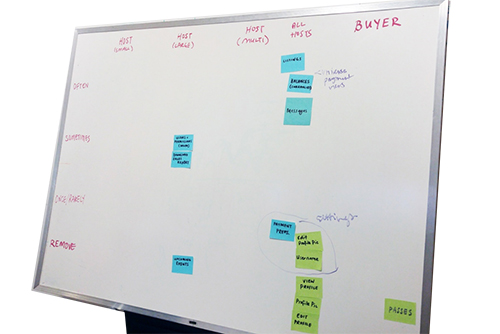
Rapidly iterating from spreadsheet sketches to multi-view hierarchical prototypes.
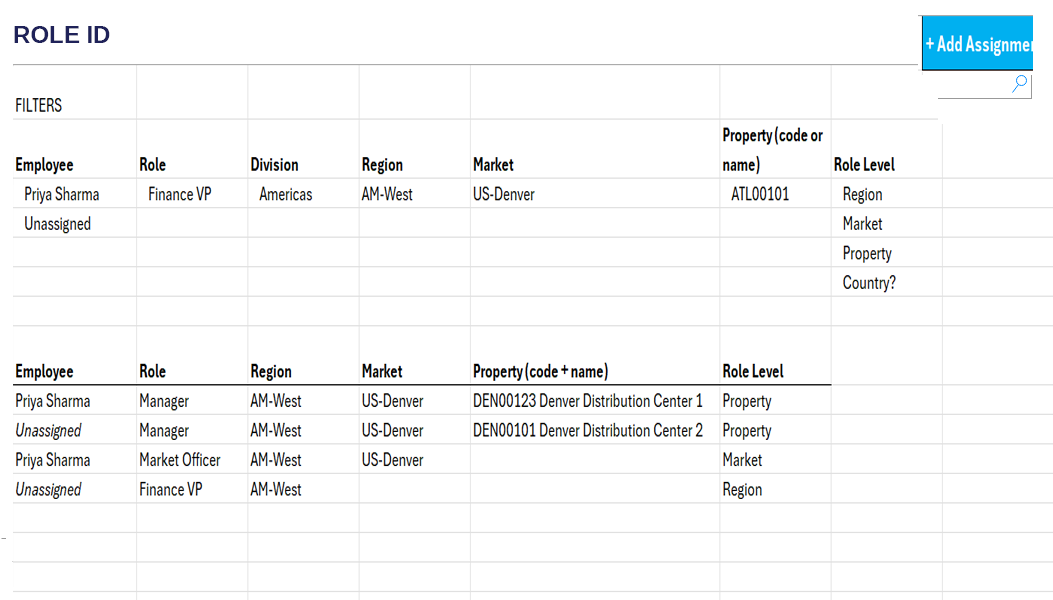
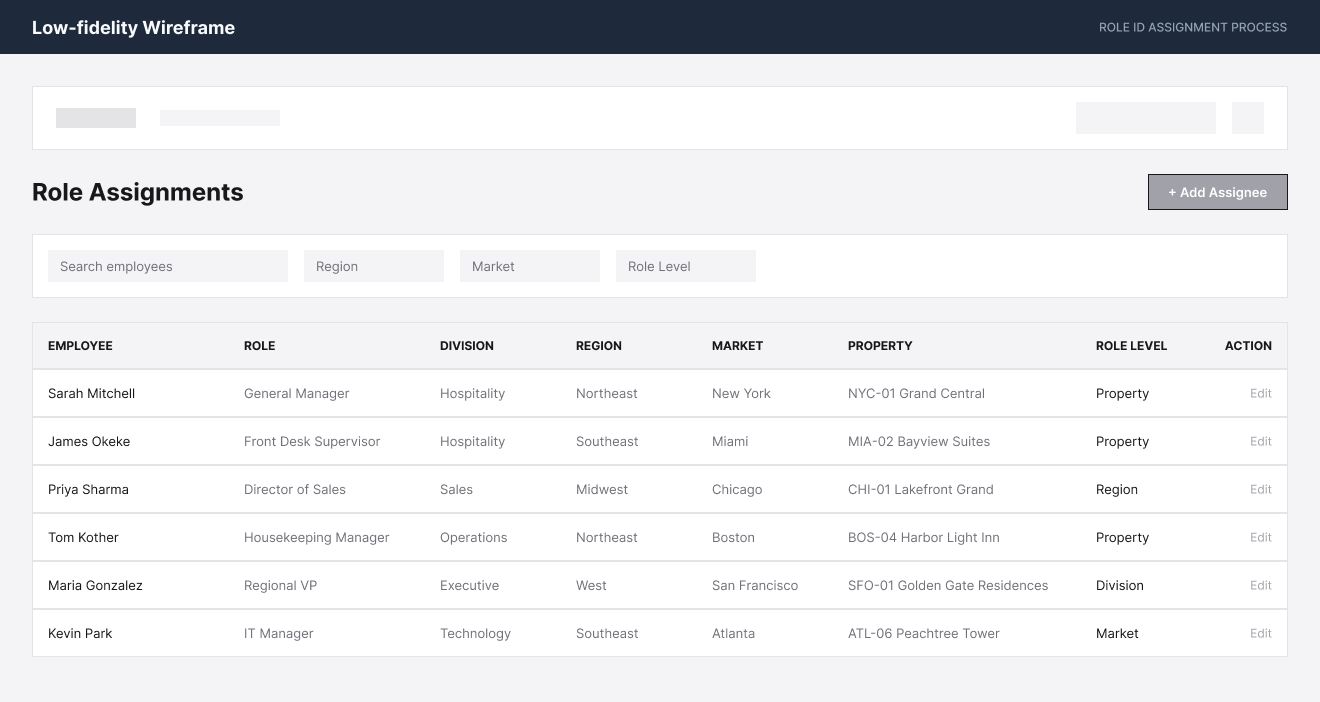
Explored how to collapse role assignments under parent rows while allowing in-line bulk selection.
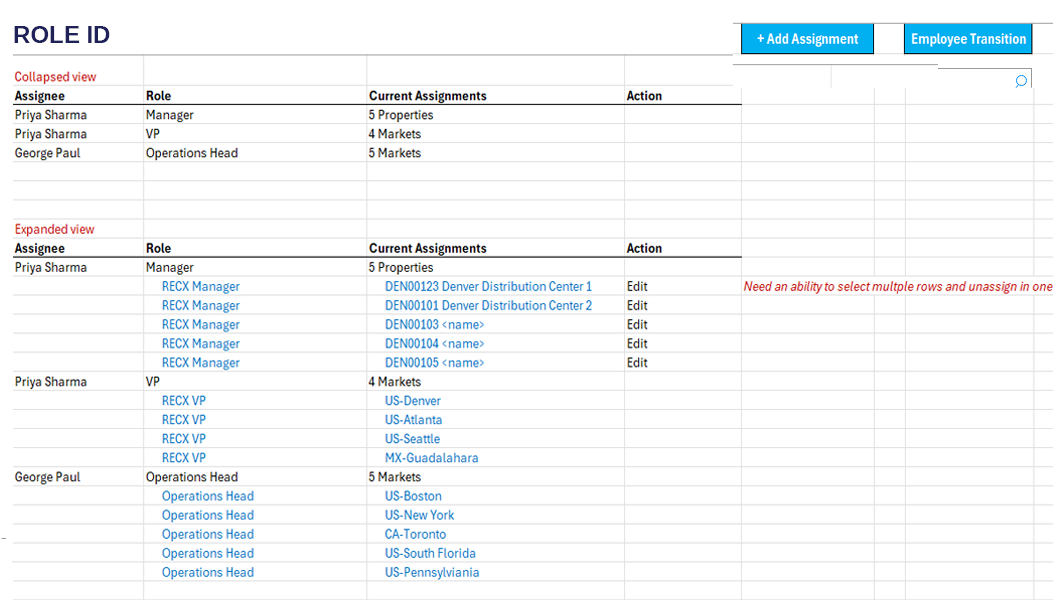
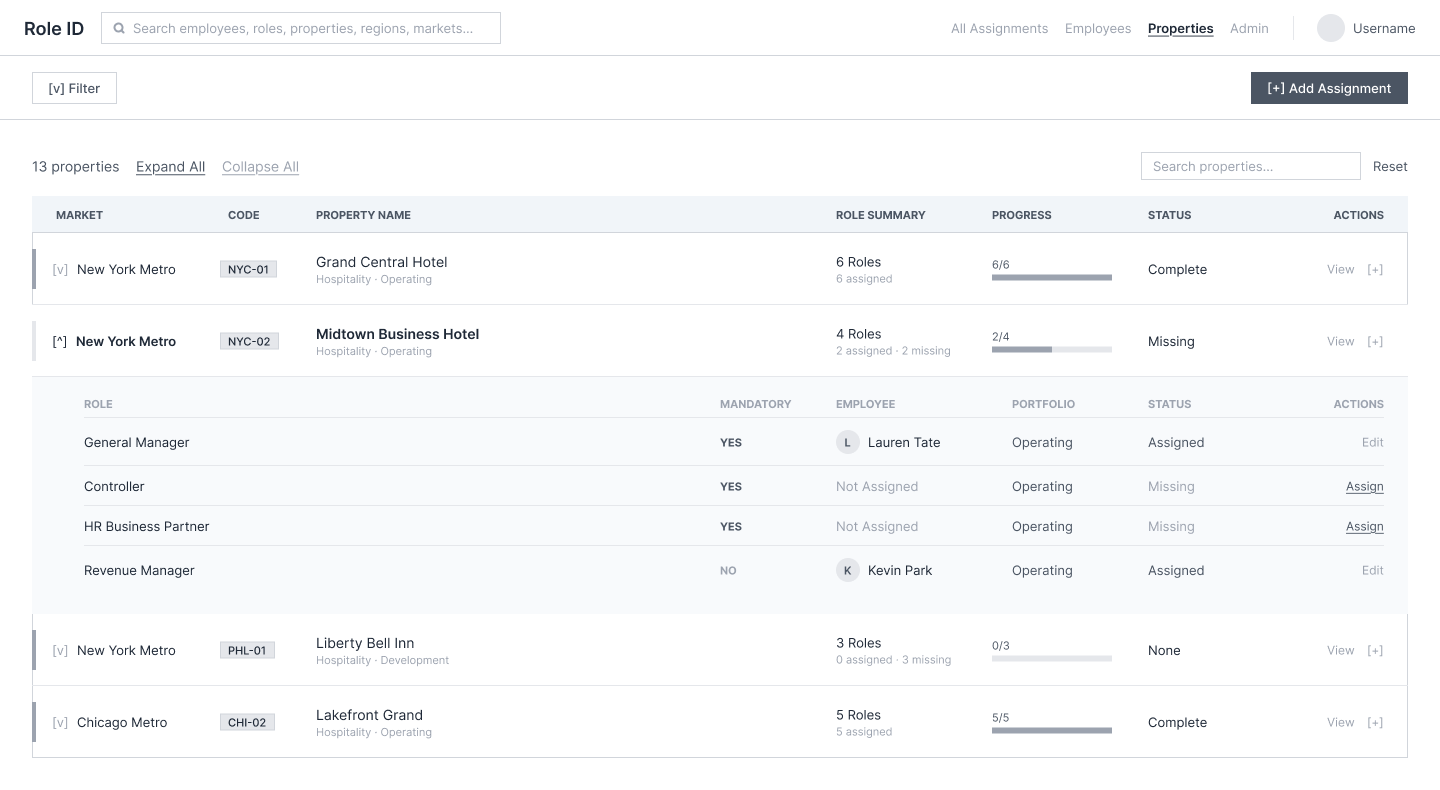
Validated expandable regional drawers, property health progress meters, and quick actions directly with leads.
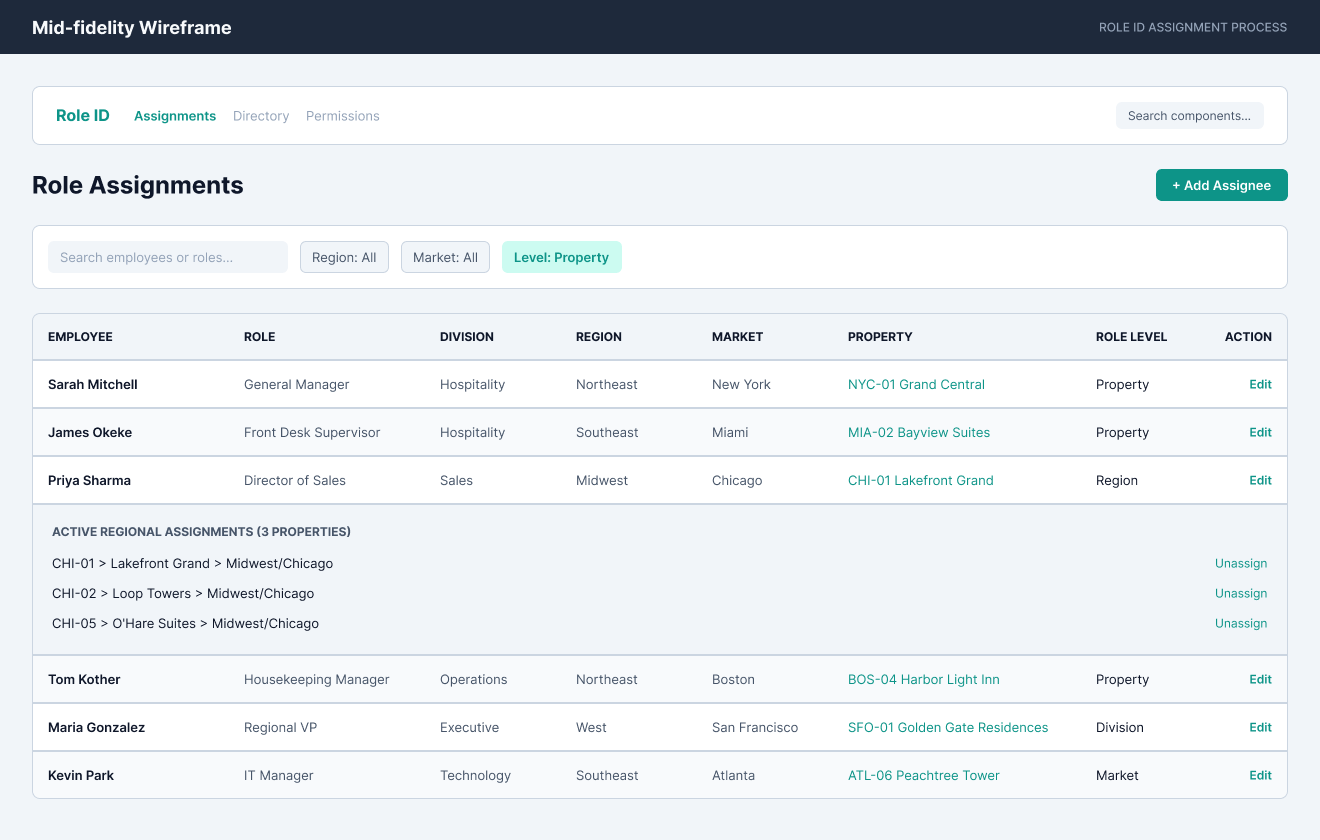
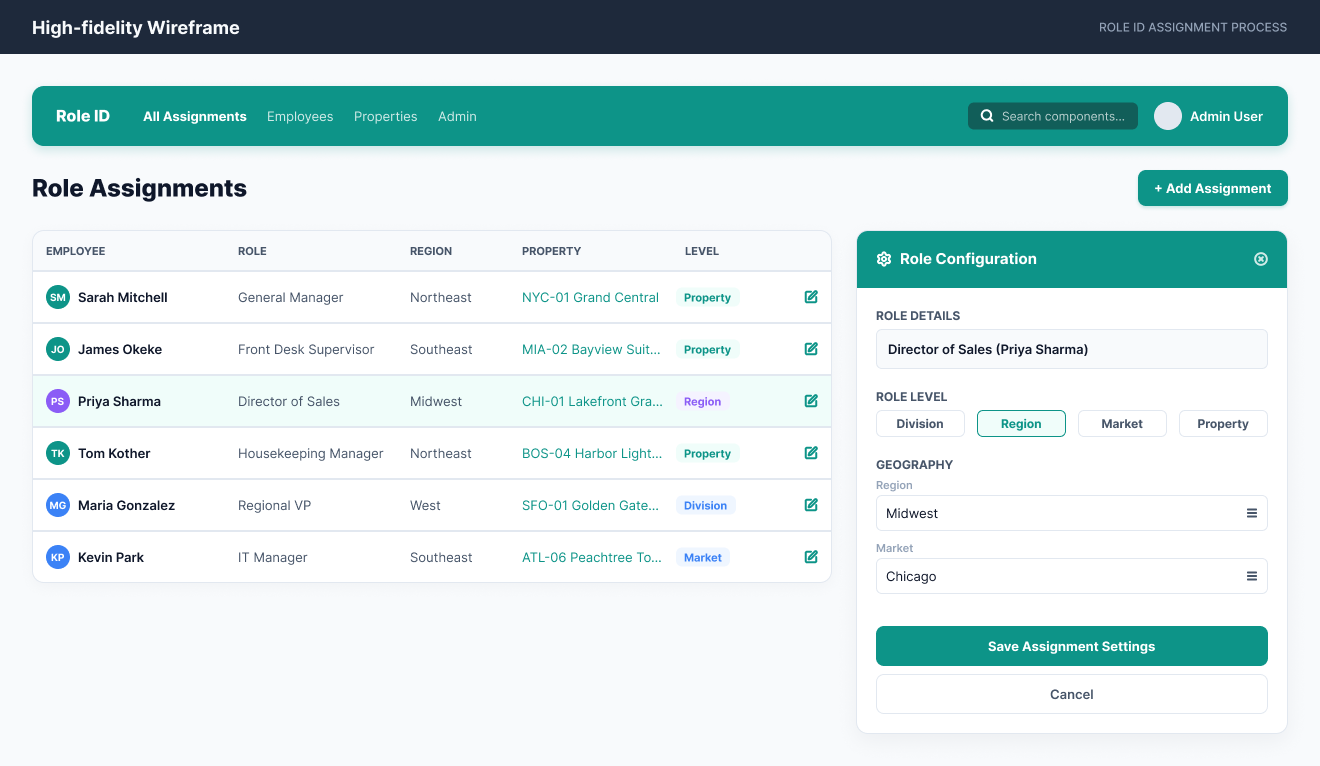
Table vs. Card Grid & Kanban
Standardized operational tokens: status indicators, high-density table rows, diagnostic typography, and semantic badge palettes calibrated for fast scanning under pressure.

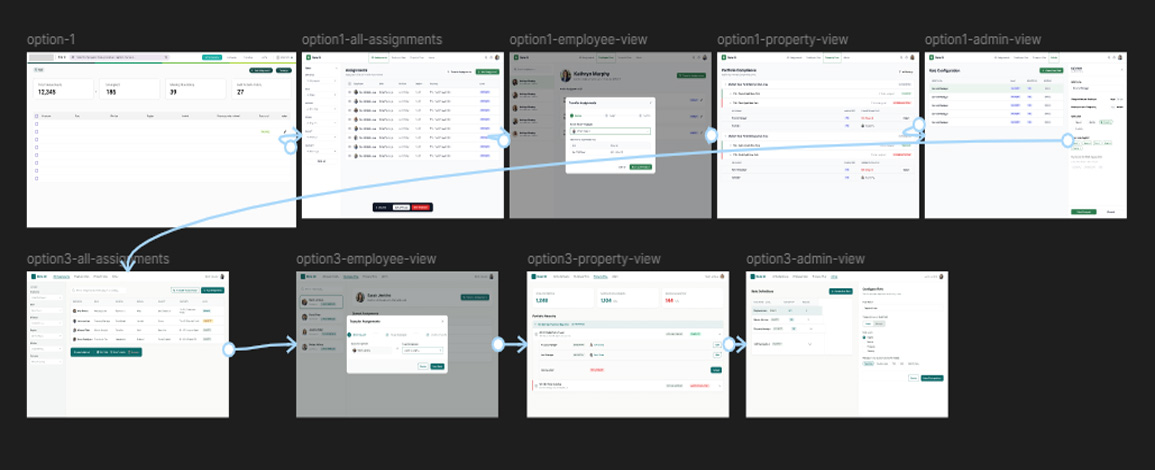
Clickable Interactive Flow Architecture
End-to-end interactive journey tested across multiple user roles before engineering handoff.
The Redesigned Experience
A centralized, high-density dashboard engineered for rapid decisions and automated transitions.
Property Health & Assignment Indicators
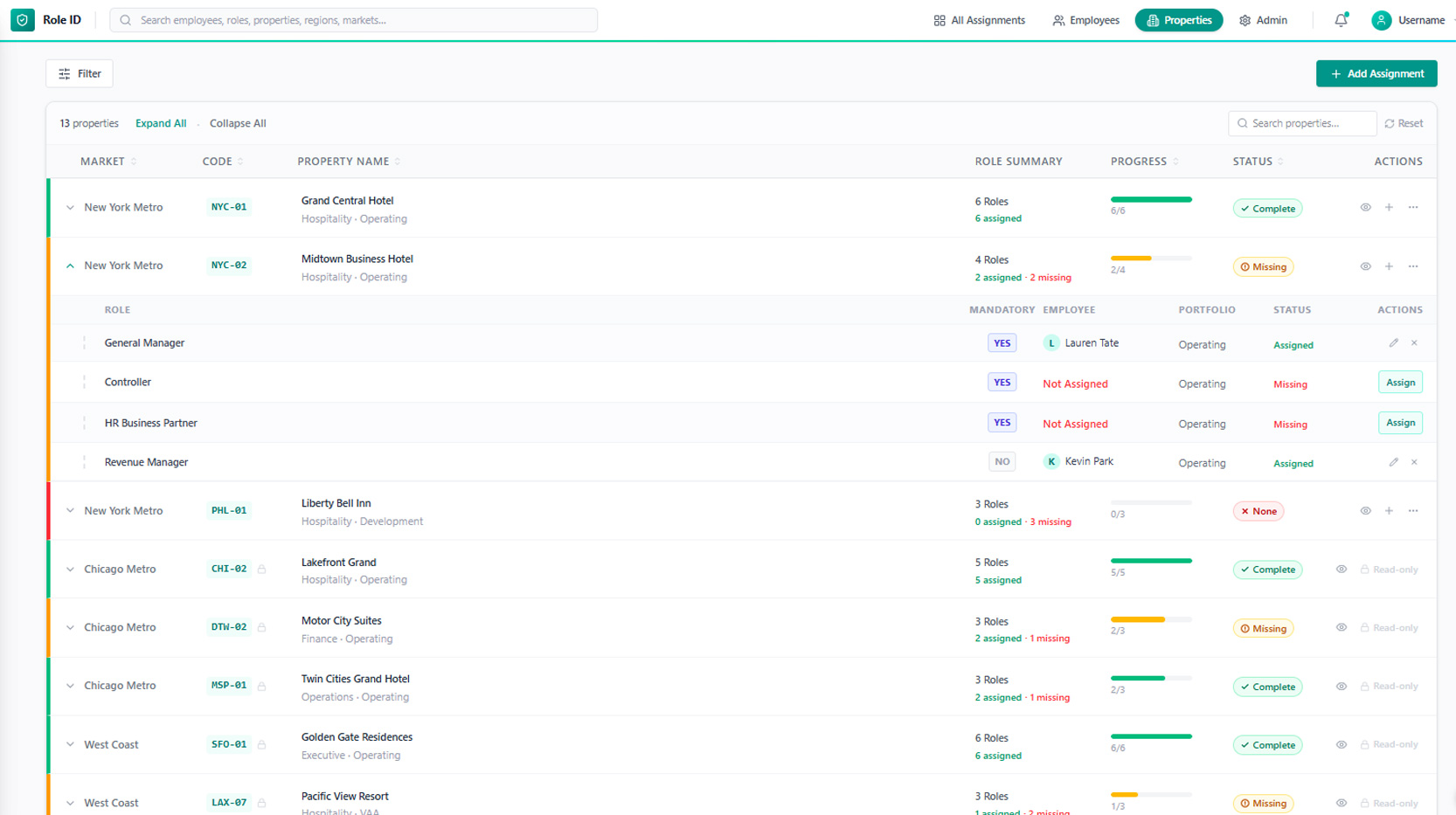
Replaced static lists with live health meters. Admins can expand any property (e.g. NYC-01 Grand Central) to immediately see assigned vs. vacant mandatory roles, progress rings, and quick assignment CTAs.
- check Status pills: Complete, Missing, None
- check Instant KPI bar highlighting missing mandatory roles
- check Nested inline expanding drawers for sub-roles
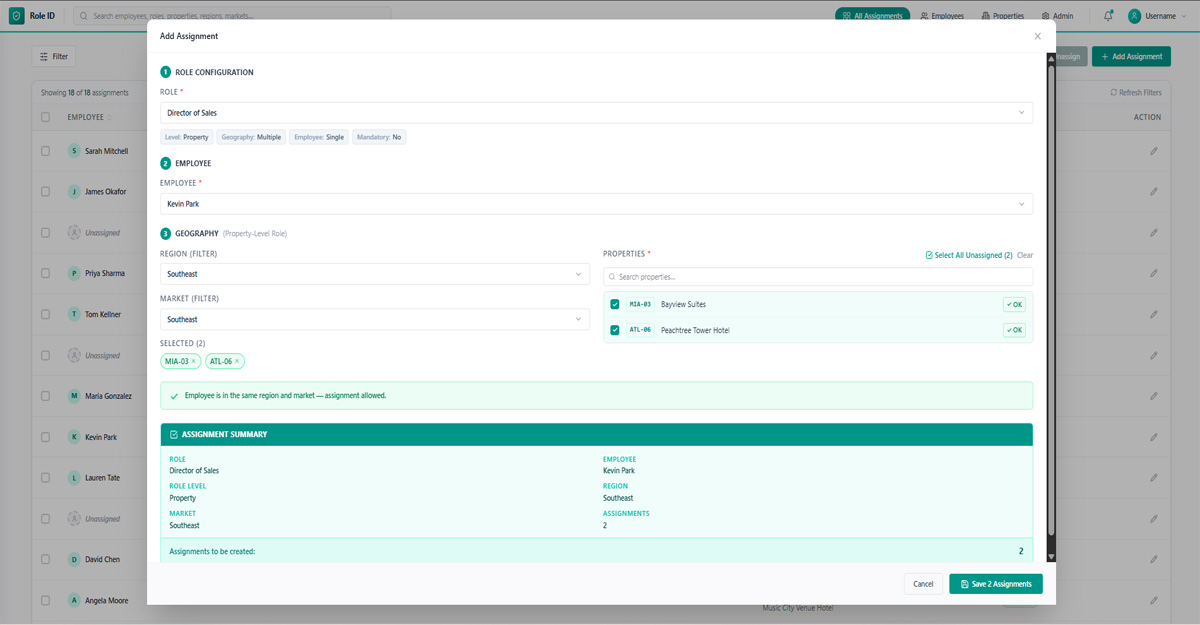
Contextual Multi-Property Bulk Assignment
Step-by-step role configuration modal featuring geographic validation, auto-matching employee regional permissions, and instant multi-select for unassigned properties.
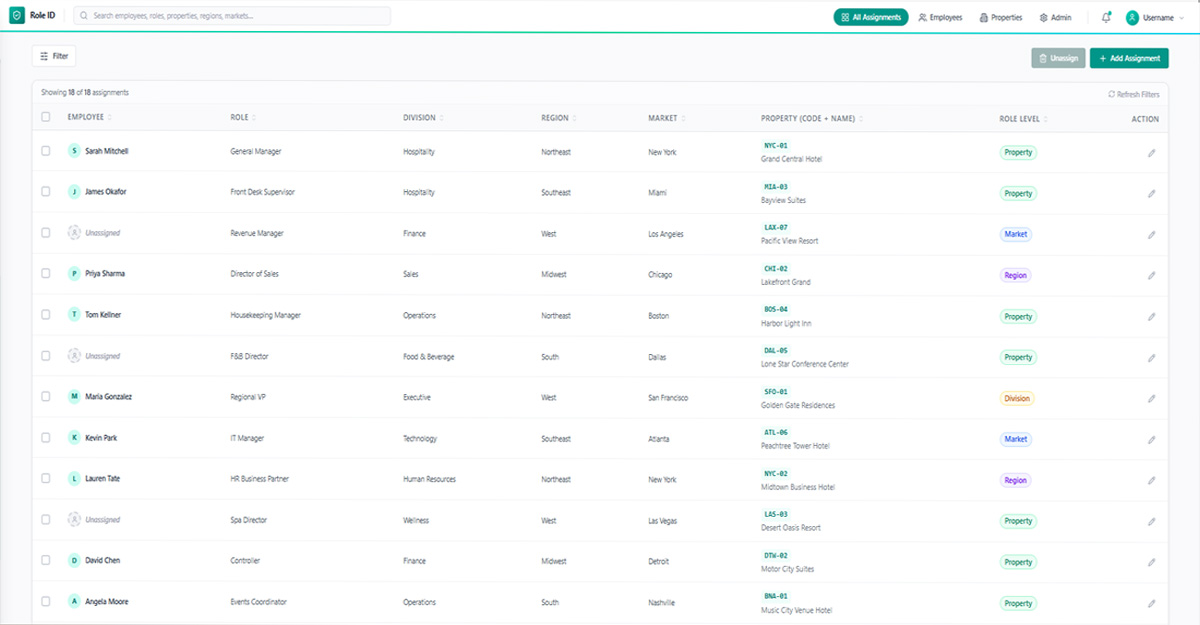
Unified Directory & Fast Inline Actions
Centralized table view combining division, region, market, and property attributes with quick inline edit permissions and 1-click bulk unassign for team restructures.
20-Day Timeline & AI-Accelerated Strategy
Given the aggressive 20-day delivery window before development kickoff, we strictly scoped the project around high-leverage workflows:
- check_circle Prioritized Automated Unassignment: Instead of building complex AI recommendation engines for reassignment, we focused on automated de-coupling and clean admin-controlled reassignment.
- check_circle Actionable Metrics over Heavy Analytics: Deferred multi-page statistical charts in favor of immediate operational cards: Unassigned Properties and Missing Mandatory Roles.
- auto_awesome AI-Accelerated Iteration: Leveraged Figma AI and rapid concept generation tools to build interactive hi-fi prototypes within days, saving weeks of manual wireframing.
The Leadership Reflection
"Operational efficiency is rarely achieved through adding more features or buttons. The most profound improvements came from reducing clutter, making critical coverage gaps visible, and automating repetitive transitions."
✓ Successfully handed off to engineering after 2 rigorous validation rounds.
✓ Projected to reduce employee role reassignment time by over 70%.
✓ Zero unassigned mandatory role blindspots across managed commercial properties.
DQHQ — Data Quality Incident Command Center
One workspace for identifying, escalating, and resolving data quality incidents.