DQHQ — Data Quality Incident Command Center
Operations teams were tracking data quality incidents in spreadsheet chains and email, with no clear owner and no audit trail. That was a large problem with real business cost. I set out to solve it with one command center for every incident, from detection to verified closure.
Research, IA, Interaction Design, Prototyping, Validation & Stakeholder Alignment
Discovery to MVP technical handoff and design system rollout
RECX Leads, RECX Managers, Regional Directors & Data Governance Ops
Zero spreadsheet dependencies, 100% incident ownership visibility
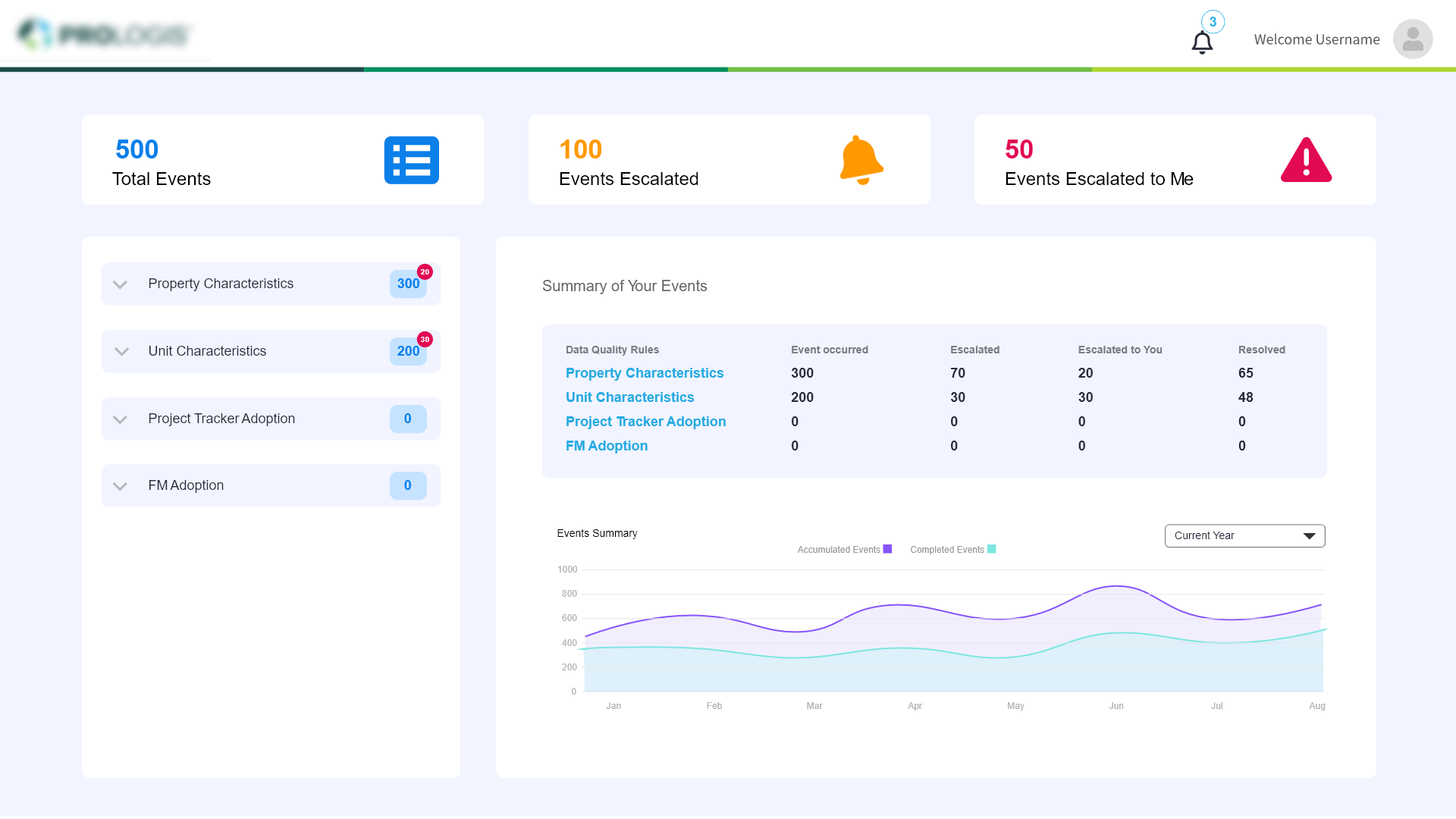
Final High-Fidelity Command Center Dashboard: Total Events, Escalated Incidents, and Real-Time Health Analytics consolidated into a single operational interface.
1920 × 1080pxUnraveling Fragmented Incident Tracking
The problem was large. Employees relied on disconnected spreadsheets, fragmented email chains, and ad-hoc communication to manage high-stakes incidents. Once an incident was escalated, teams lost complete visibility into ownership, resolution progress, and cross-functional accountability. The UX work set out to close that gap.
Loss of Incident Ownership
Escalated tickets vanished into organizational black holes without clear ownership markers or handoff tracking. Neither sender nor receiver knew who owned the next actionable step.
Heavy Notification Drag
Teams operated purely reactively, sifting through hundreds of scattered alert emails rather than managing prioritized incidents through an active, auto-refreshing command queue.
Context Switching Drag
Users jumped across 4+ disparate legacy systems just to gather context on a single property code or unit characteristic flaw, introducing severe cognitive fatigue and delay.
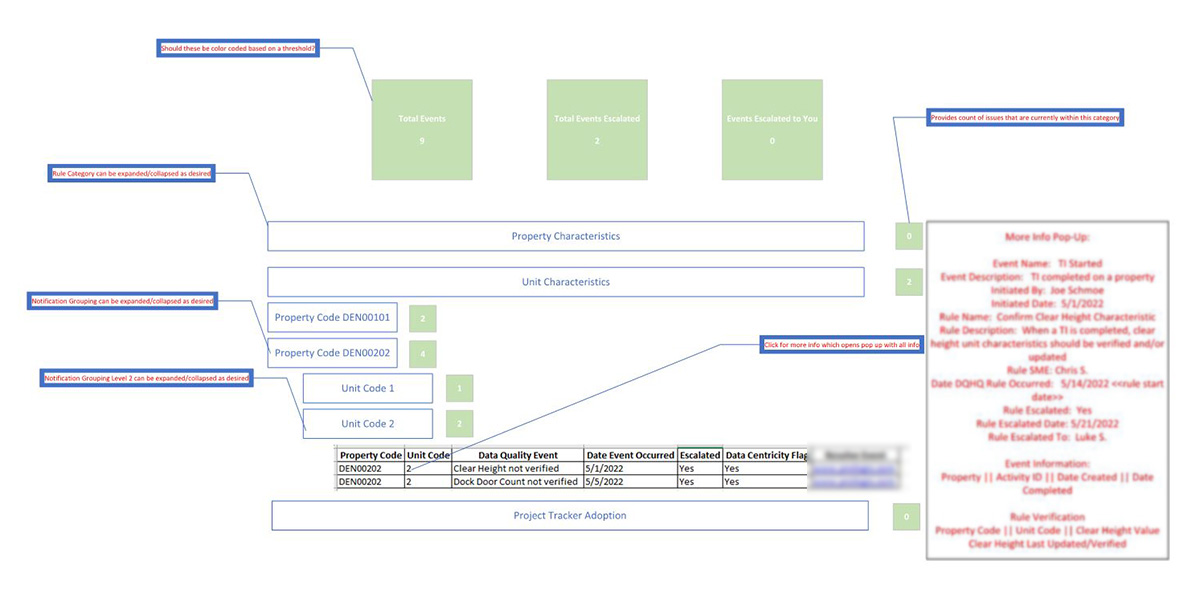
Fig 1. Initial concept scribble: Exploring event categorization, urgency indicators, and unified notification grouping.
Discovery Phase — Sprint 01Understanding Operational Frustrations
In-depth user interviews and workflow shadow sessions with Operations Managers, RECX Leads, and regional coordinators revealed critical friction points in incident escalation and resolution.
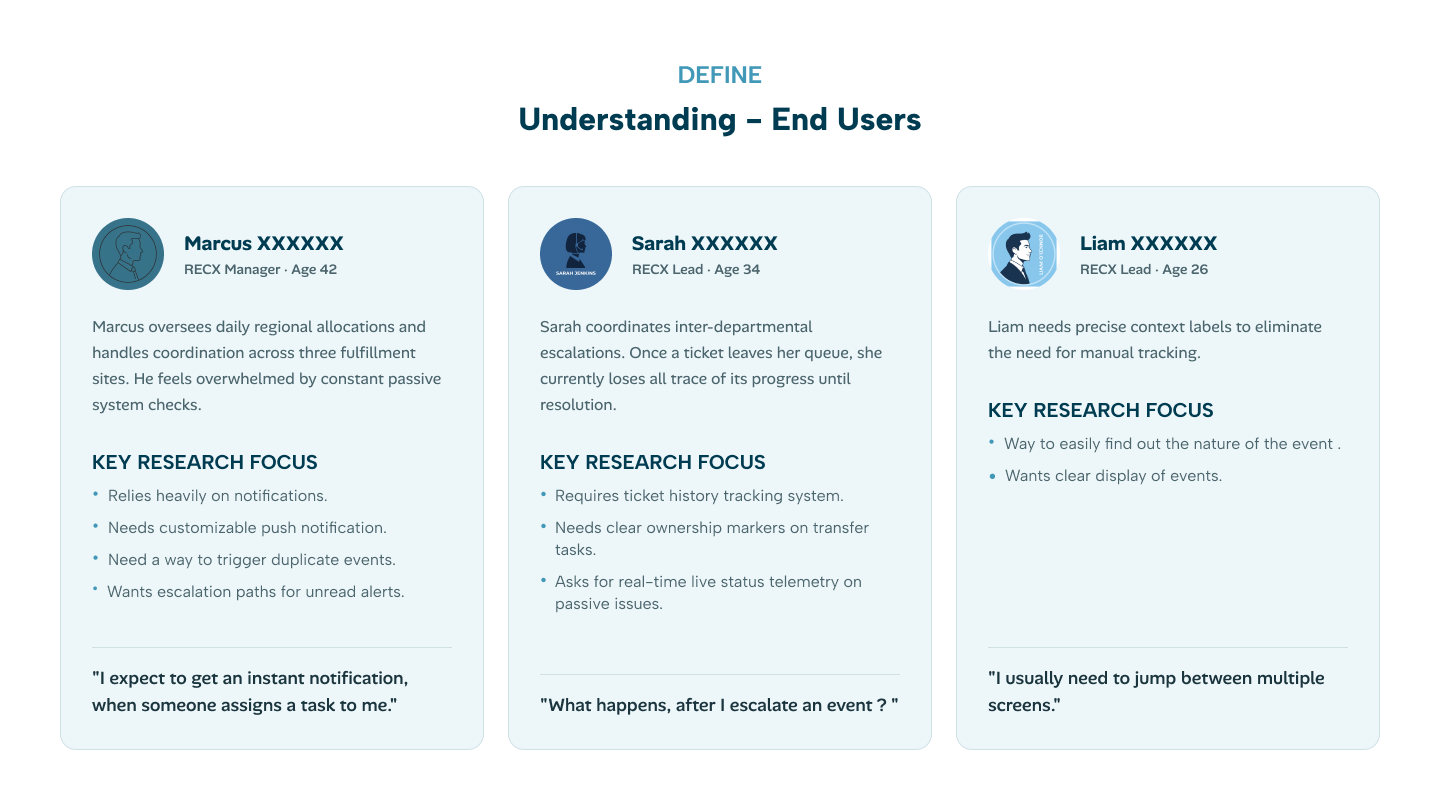
Key User Personas: Operational roles synthesized from 18 field interviews spanning logistics hubs across North America.
Field Study Deliverable"I expect to get an instant notification when someone assigns a task to me. I can’t spend half my morning auditing spreadsheet revisions."
"What happens after I escalate an event? We lose all visibility once it leaves our queue. I end up chasing people on Slack."
"I usually need to jump between multiple screens just to identify the root cause. If I had the error rule next to the record, I’d solve it in 2 minutes."
Mapping Sarah's Event Resolution Journey
Deconstructed the step-by-step workflow from event detection to final resolution, identifying key emotional pain points and opportunities for cognitive offloading.
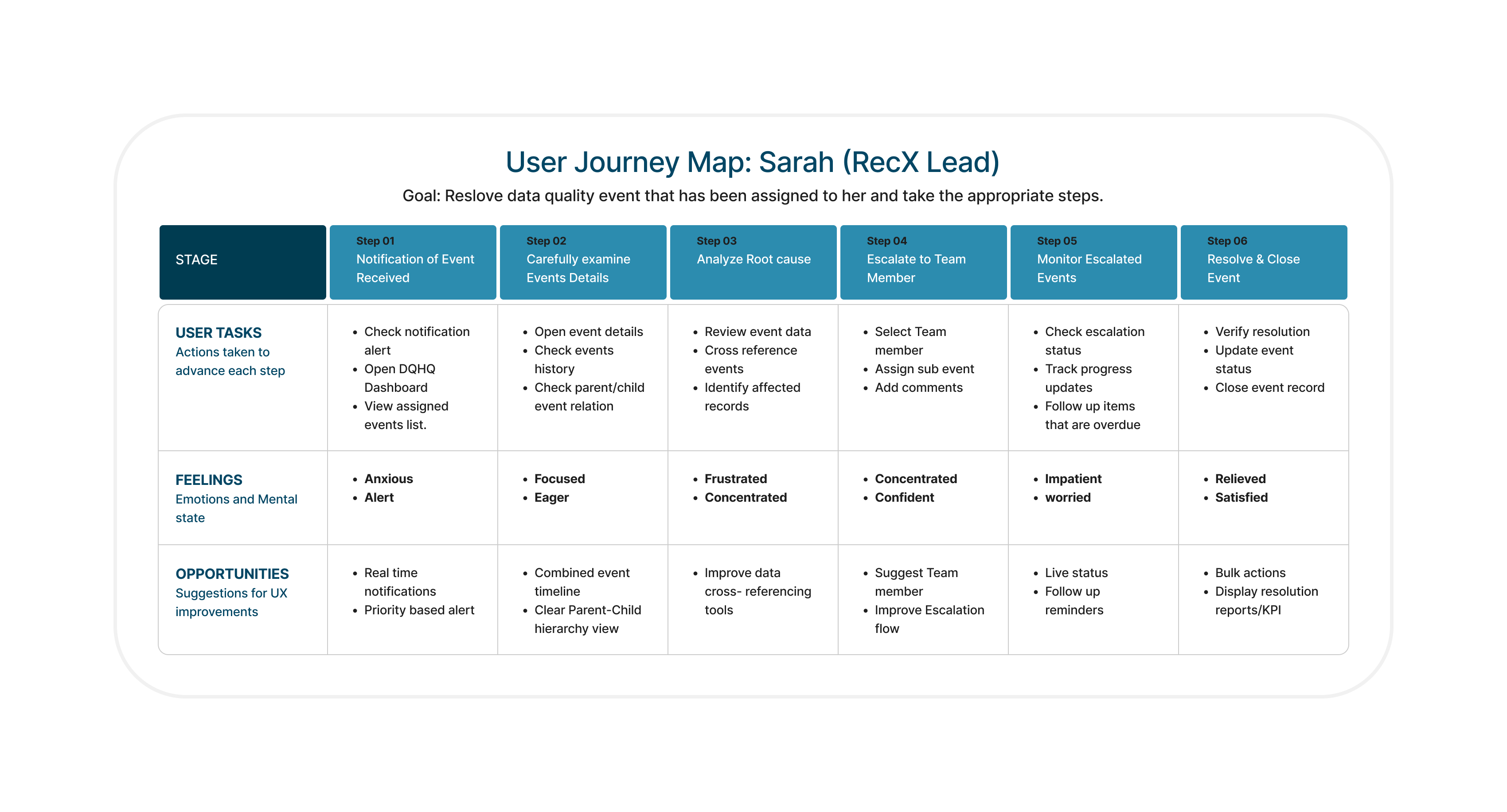
Journey Flow: Notification Trigger → Examine Details → Root Cause Diagnostic → Escalation Routing → Status Monitoring → Closed Incident Verification.
End-to-End Workflow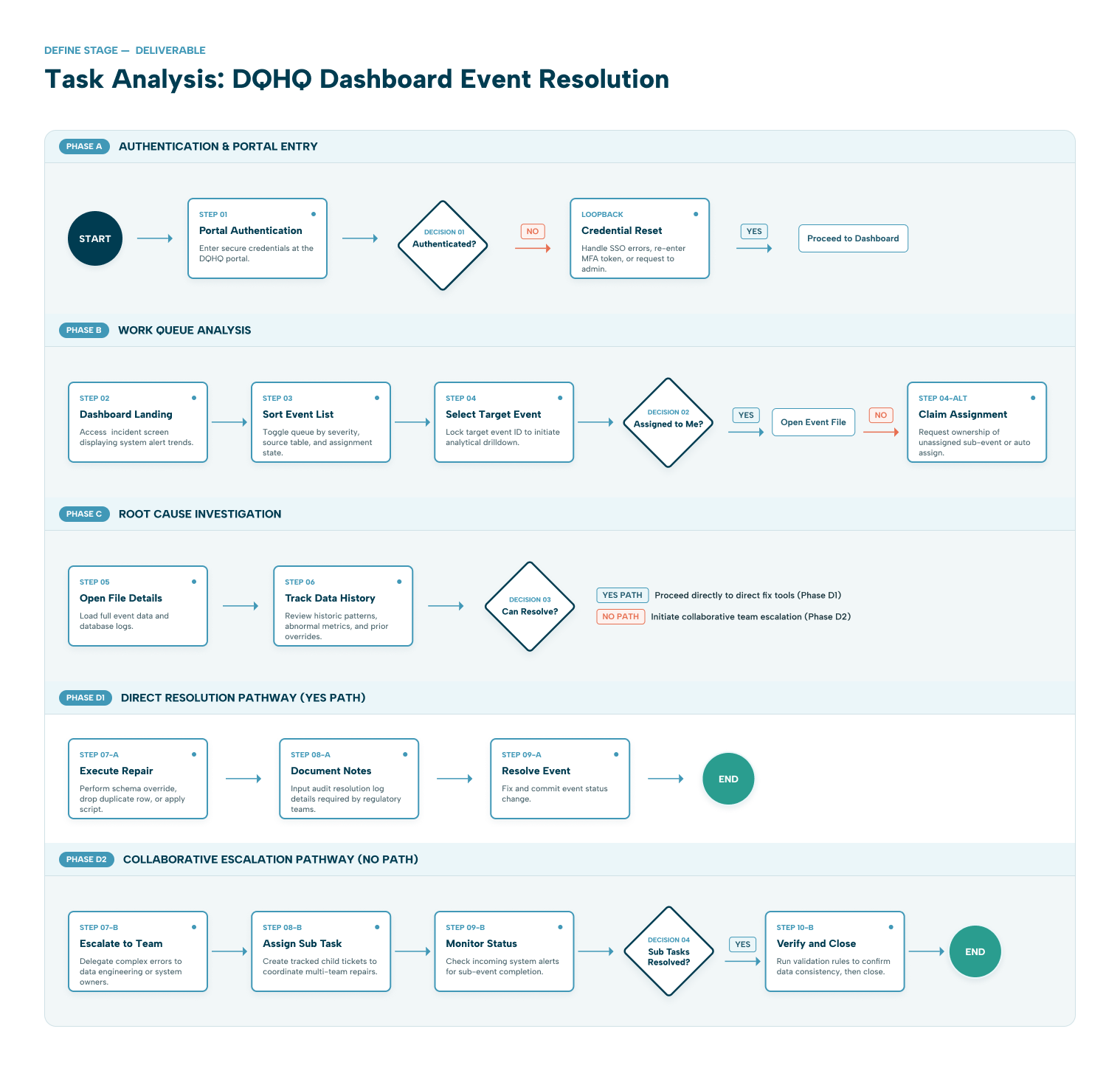
Detailed task analysis detailing Authentication, Queue Analysis, Root Cause Investigation, and Resolution Pathways with fallback exception branches.
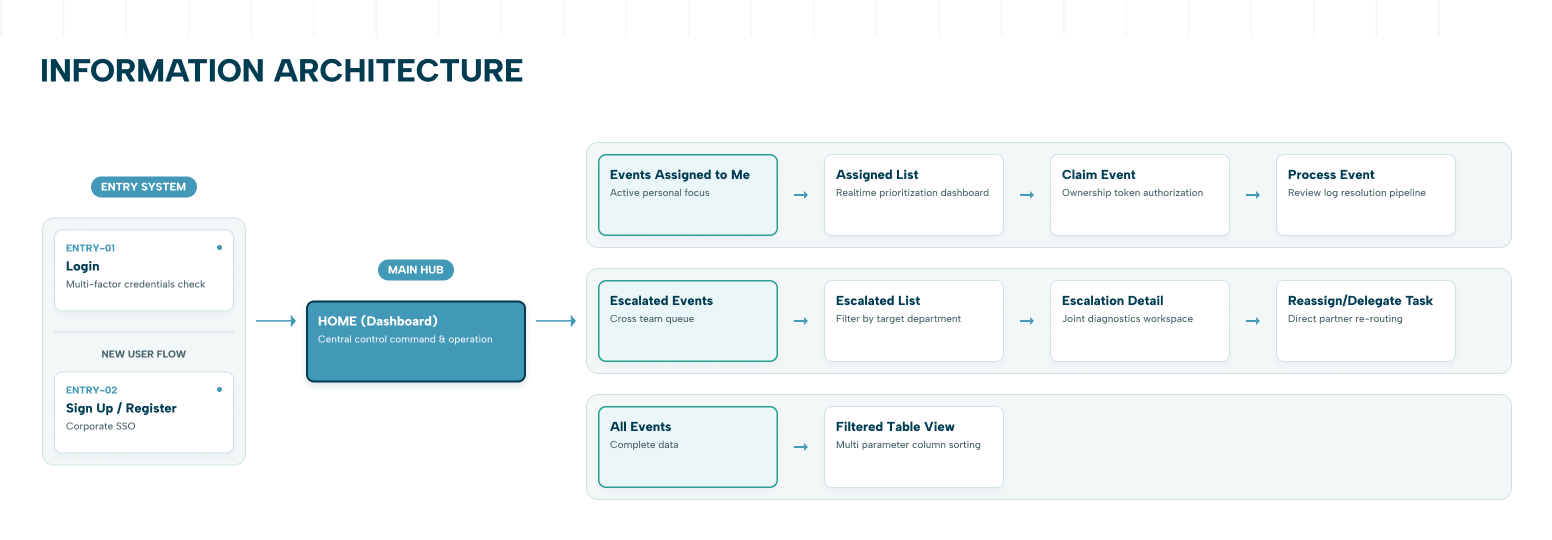
Information Architecture structuring the Main Hub, Assigned Events, Escalated Incidents, and Filtered Table Views with contextual breadcrumb trails.
Four Architectural Pillars
To overcome chronic operational inertia, we anchored every architectural and interaction decision around four non-negotiable principles.
Visibility
Ownership and incident state must be immediately apparent at a glance without drilling down or decoding obscure numerical flags.
Accountability
Explicit single assignees per event, timestamped audit log trails, and explicit escalation handoff confirmation tokens.
Speed
Surface high-priority and overdue incidents first with direct inline triage to eliminate operational response latency.
Simplicity
Consolidate the entire investigation workflow into a contextual two-pane dashboard avoiding window-switching.
Design System & Diagnostic Token Specifications
Standardized operational tokens: status indicators, high-density table rows, diagnostic typography, and semantic badge palettes calibrated for fast scanning under pressure.
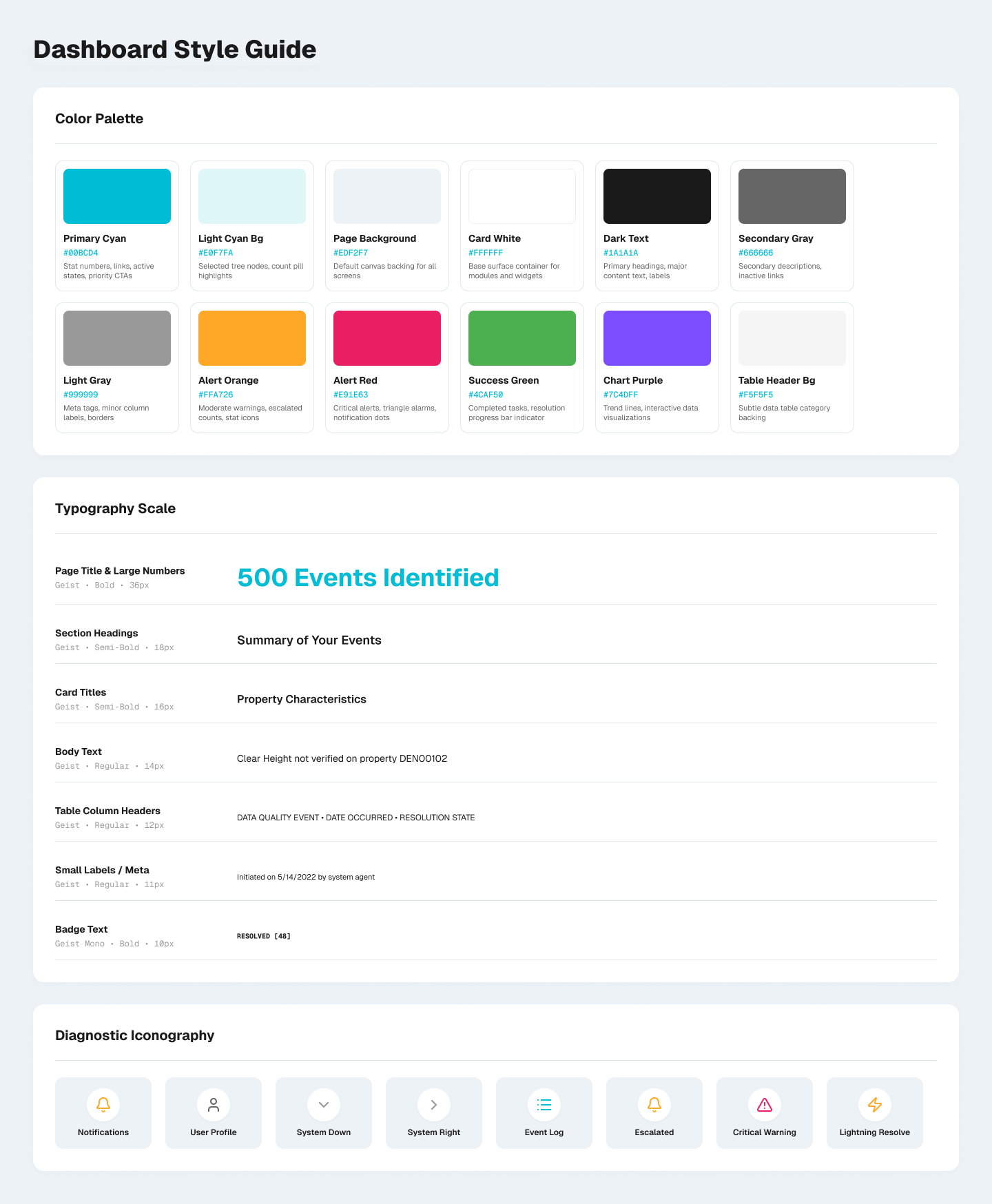
Semantic color palette (Alert Orange, Alert Red, Success Green, Chart Purple), diagnostic typography hierarchy, and specialized iconography.
Why Version 2 Emerged as the Winning Paradigm
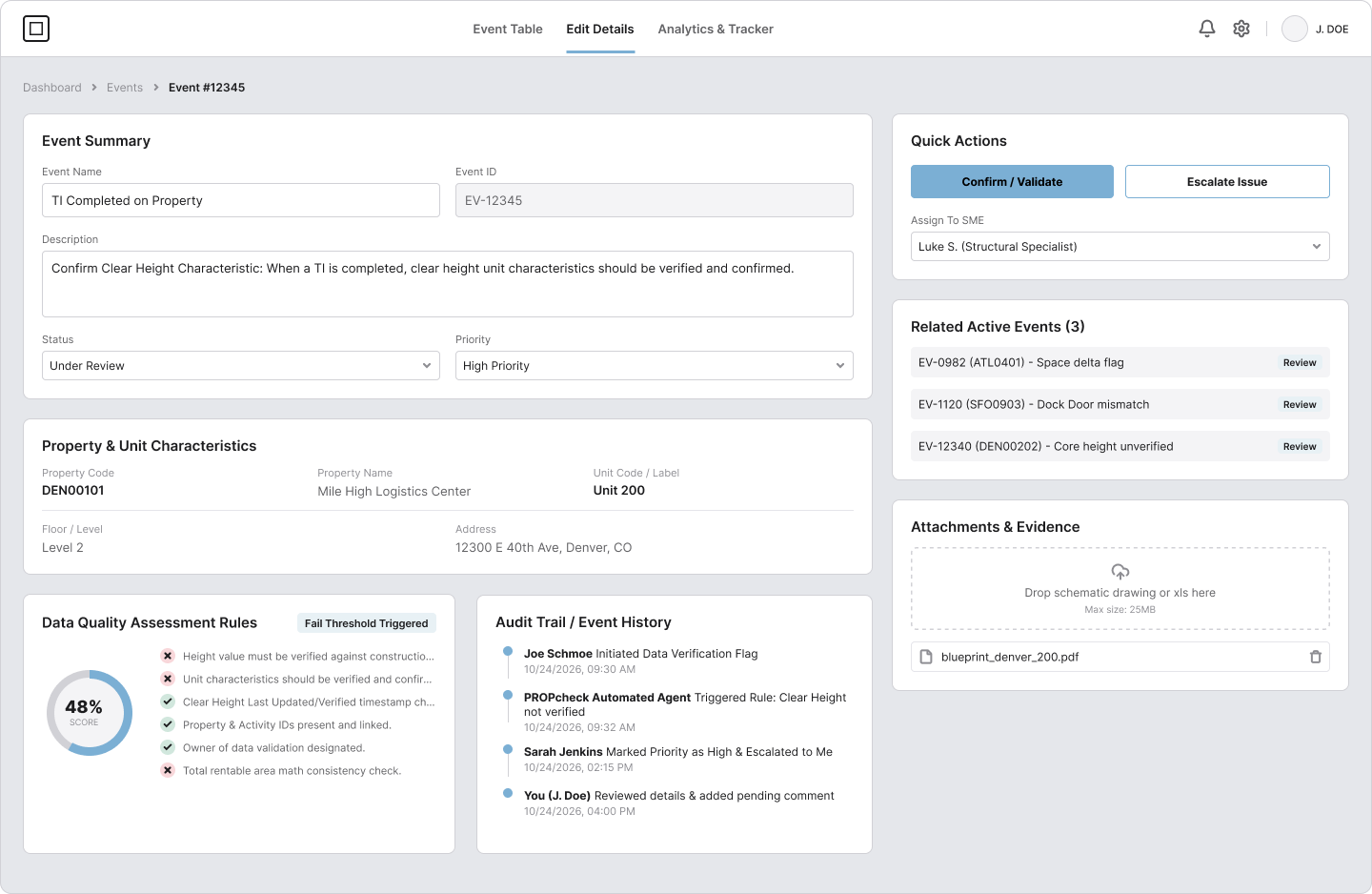
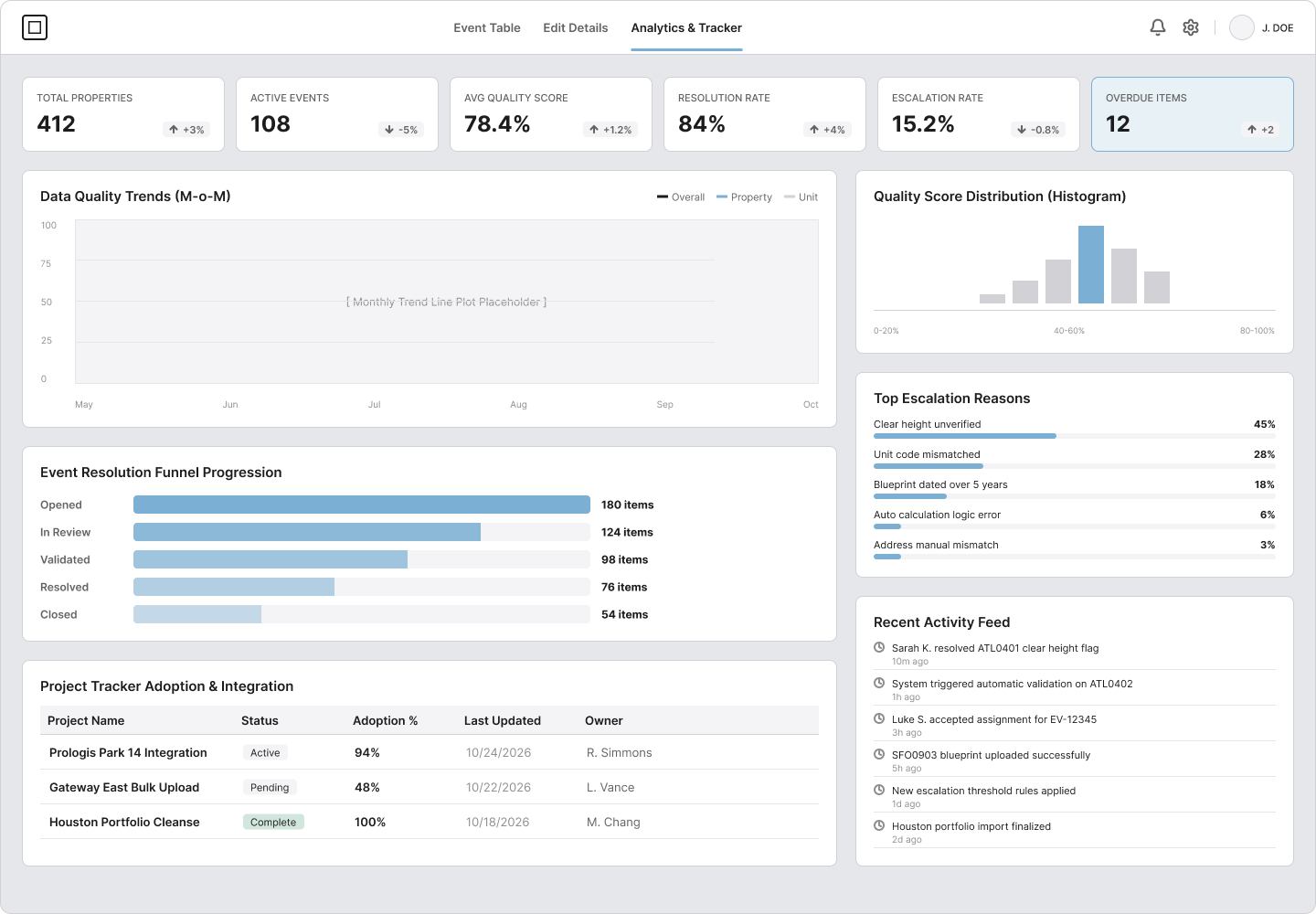
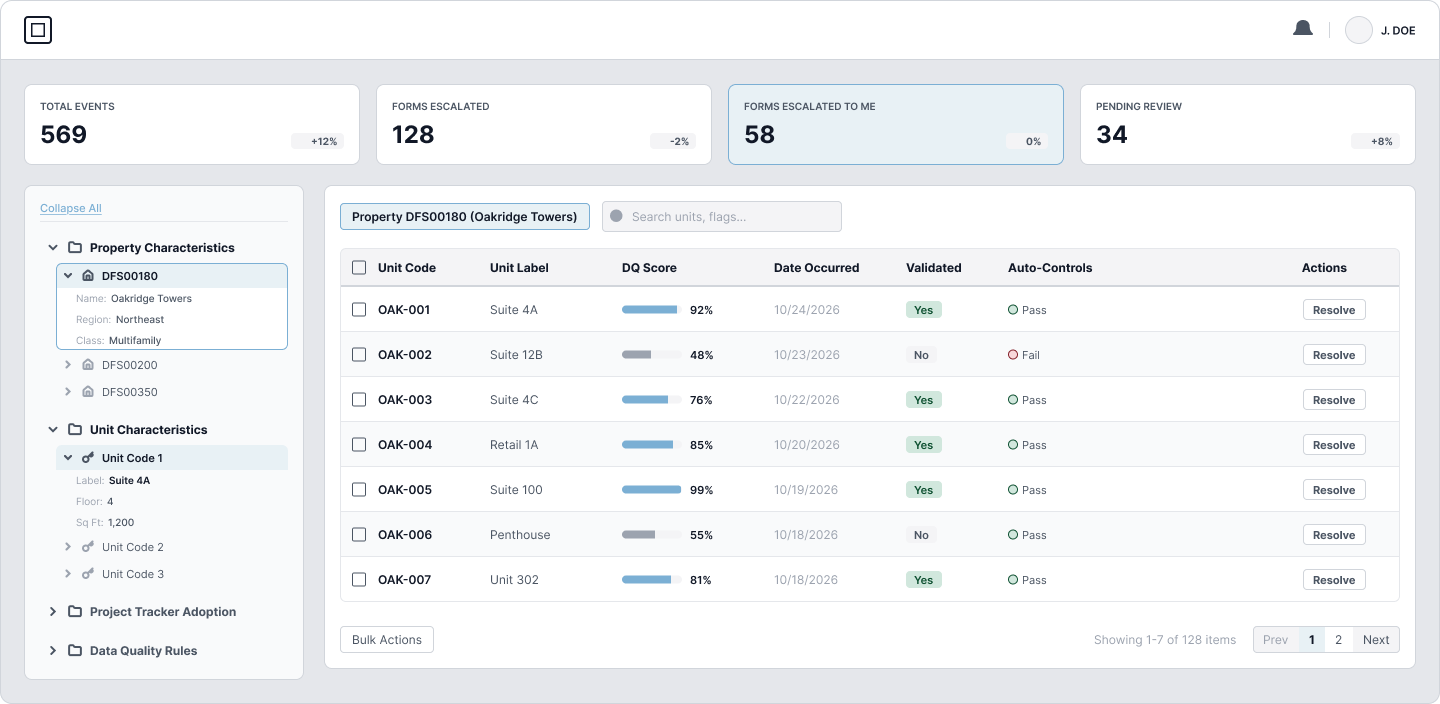
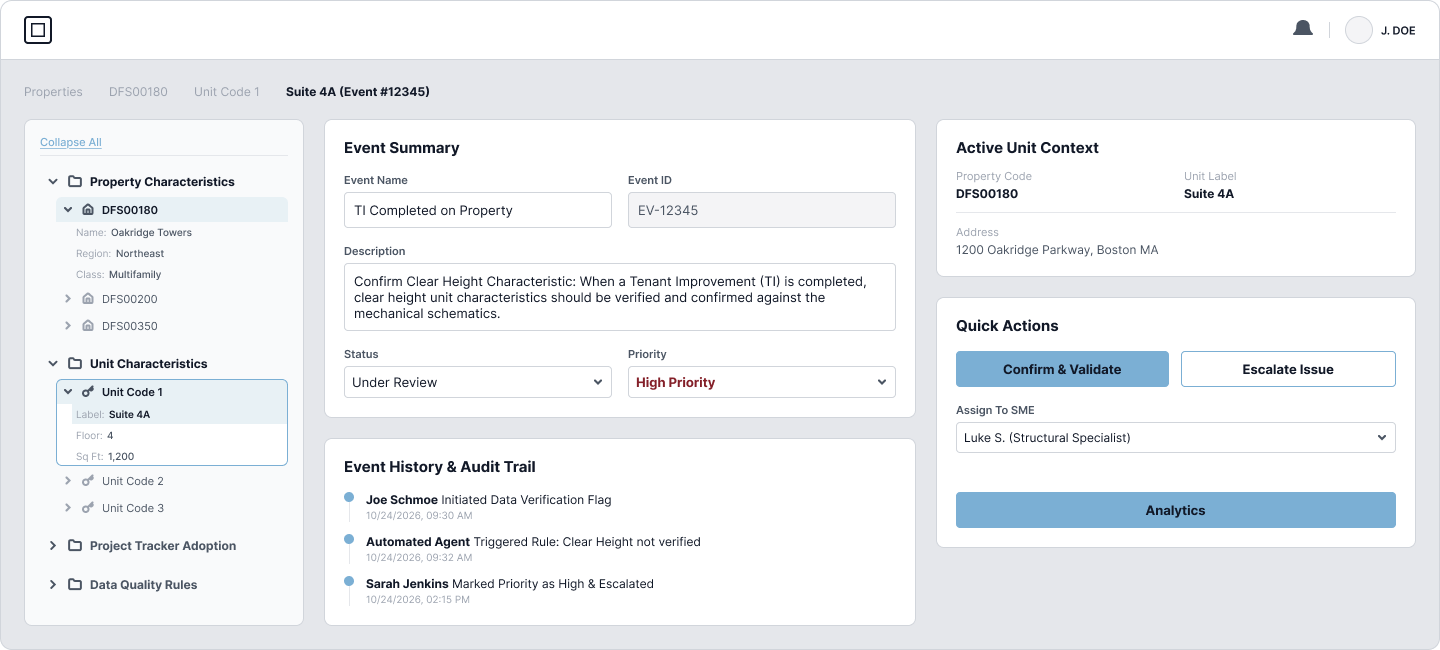
Evaluated two core structural layouts: Version 1 (Multi-page tabbed navigation) vs. Version 2 (Persistent left-hand hierarchical navigation with unified split view).
Multi-Page Tabbed Hierarchy
Initial tests revealed that users felt disoriented jumping between separate full-screen views for "Queue", "Details", and "Escalations". Context was constantly severed.
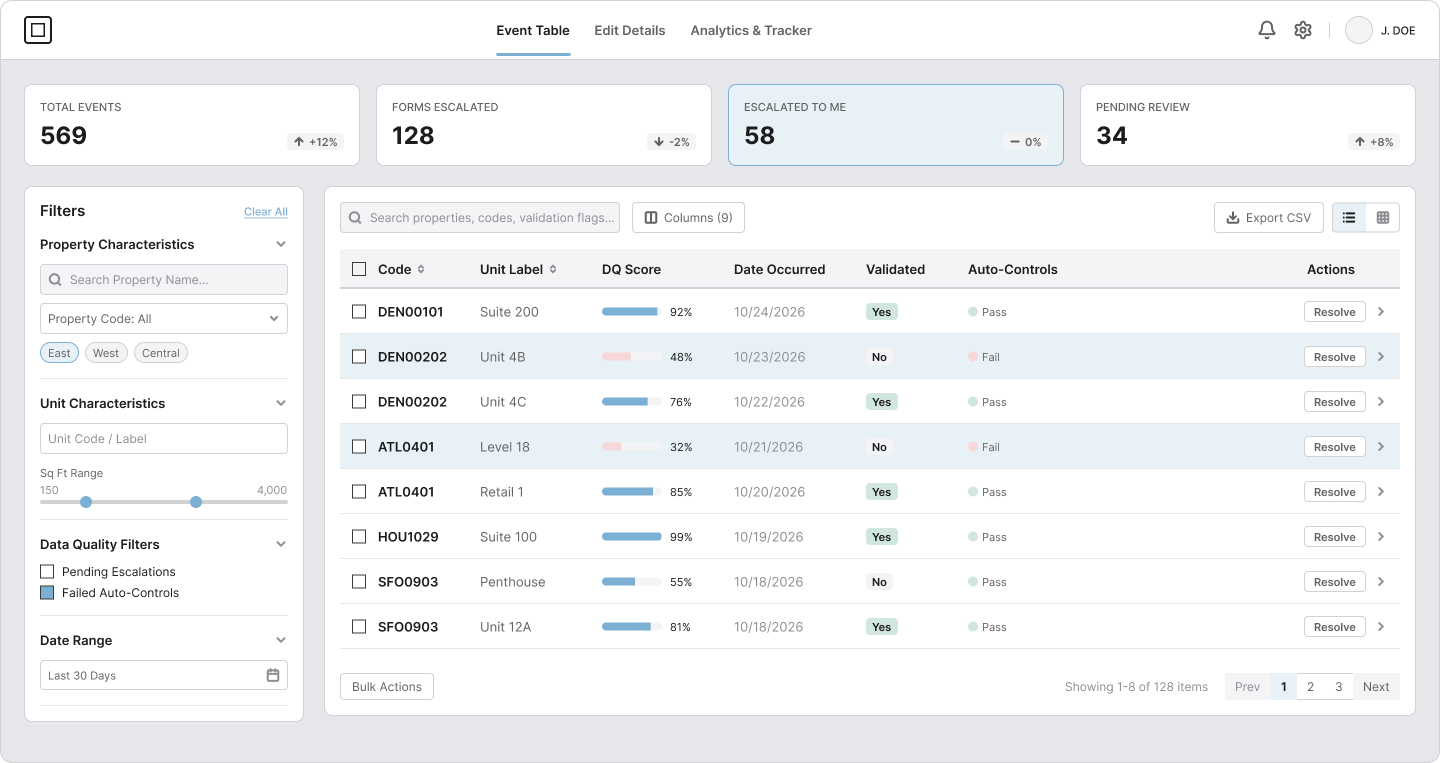
Persistent Split-Pane Navigation
The persistent left rail combined with an inline contextual inspector allowed RECX leads to review error rules and initiate resolutions without ever leaving their active incident list.
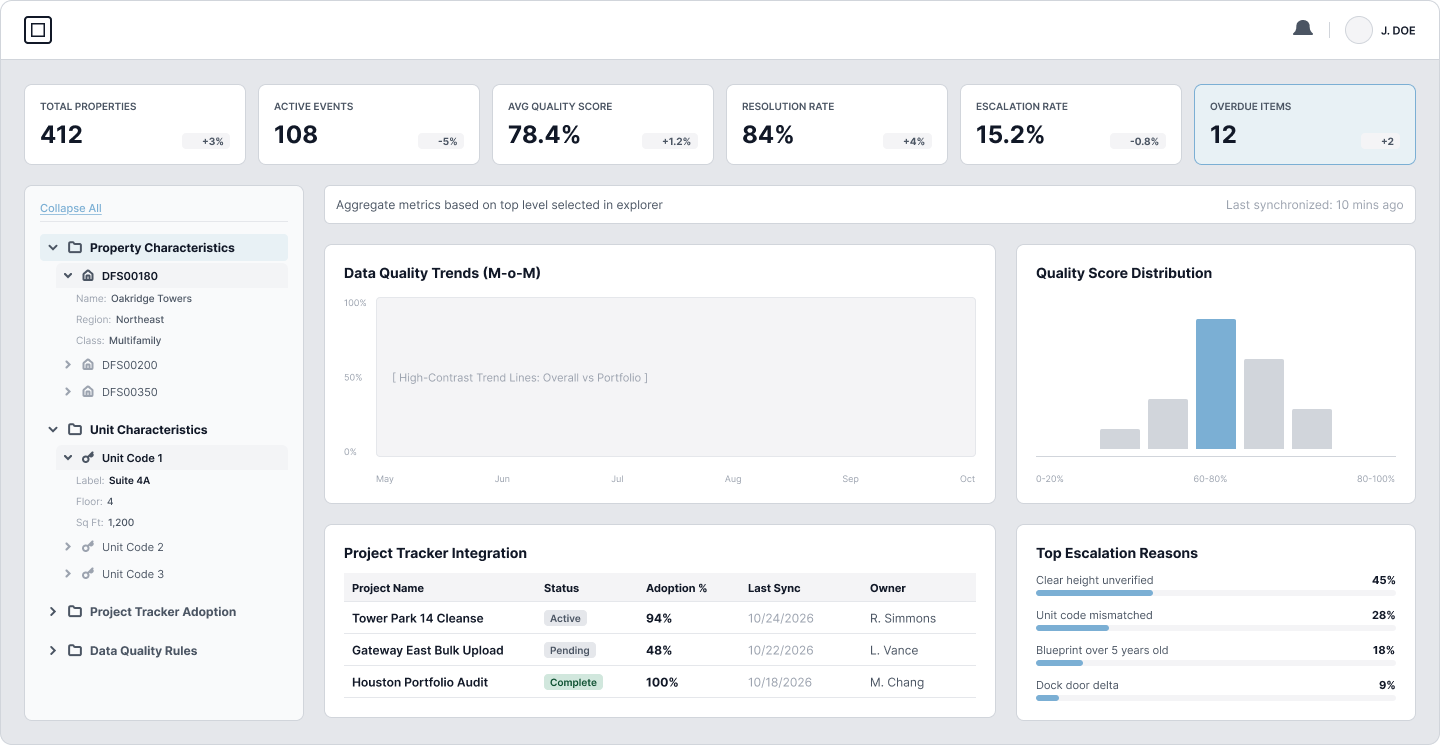
The Redesigned Incident Command Center
Interactive prototypes tested across multiple operational teams validated the consolidated two-pane hierarchy, direct resolution triggers, and live status tags.
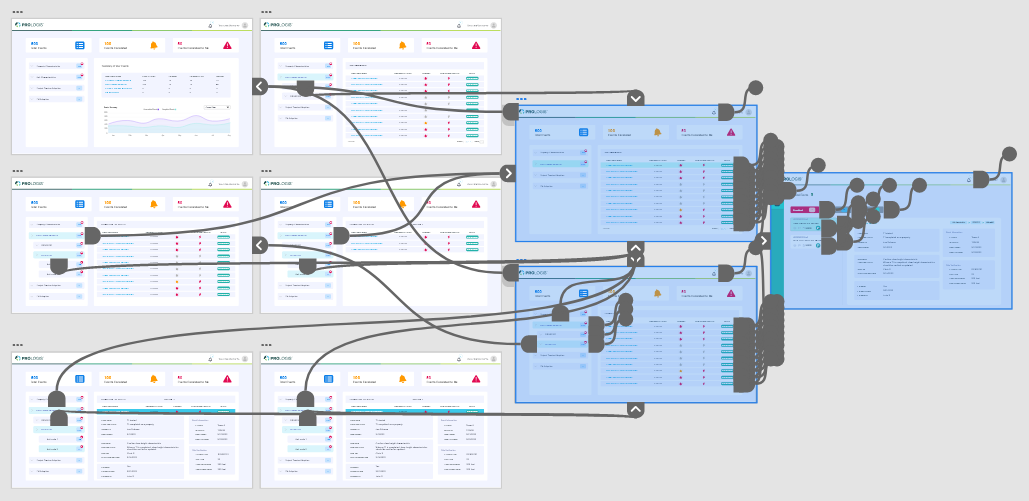
Full branching user prototype incorporating active filter matrices, conditional escalation modals, bulk action sequences, and role-based permissions toggles.
Command Overview & Live KPI Health
The primary entry point offers instant operational situational awareness. Aggregated KPIs surface backlog velocity, active escalations, and SLA health indicators without requiring manual status aggregation reports.
Filtered Incident Queue & Inline Actioning
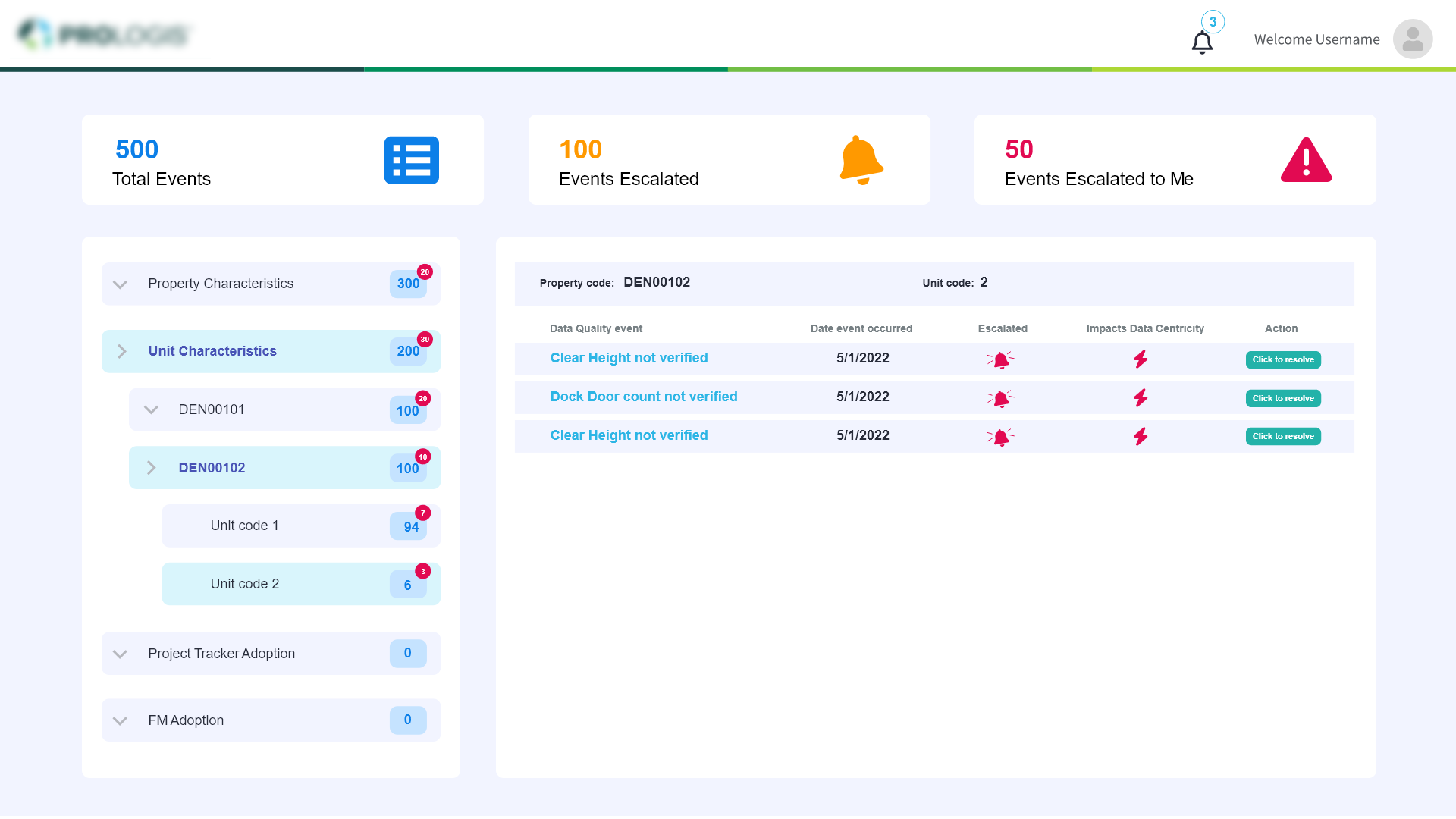
Multi-dimensional filtering allows operations leads to pinpoint unit characteristic defects, anomalous property codes, and overdue escalations. Integrated inline actions allow one-click reassignment and immediate resolution.
Deep Investigation & Audit History Pane
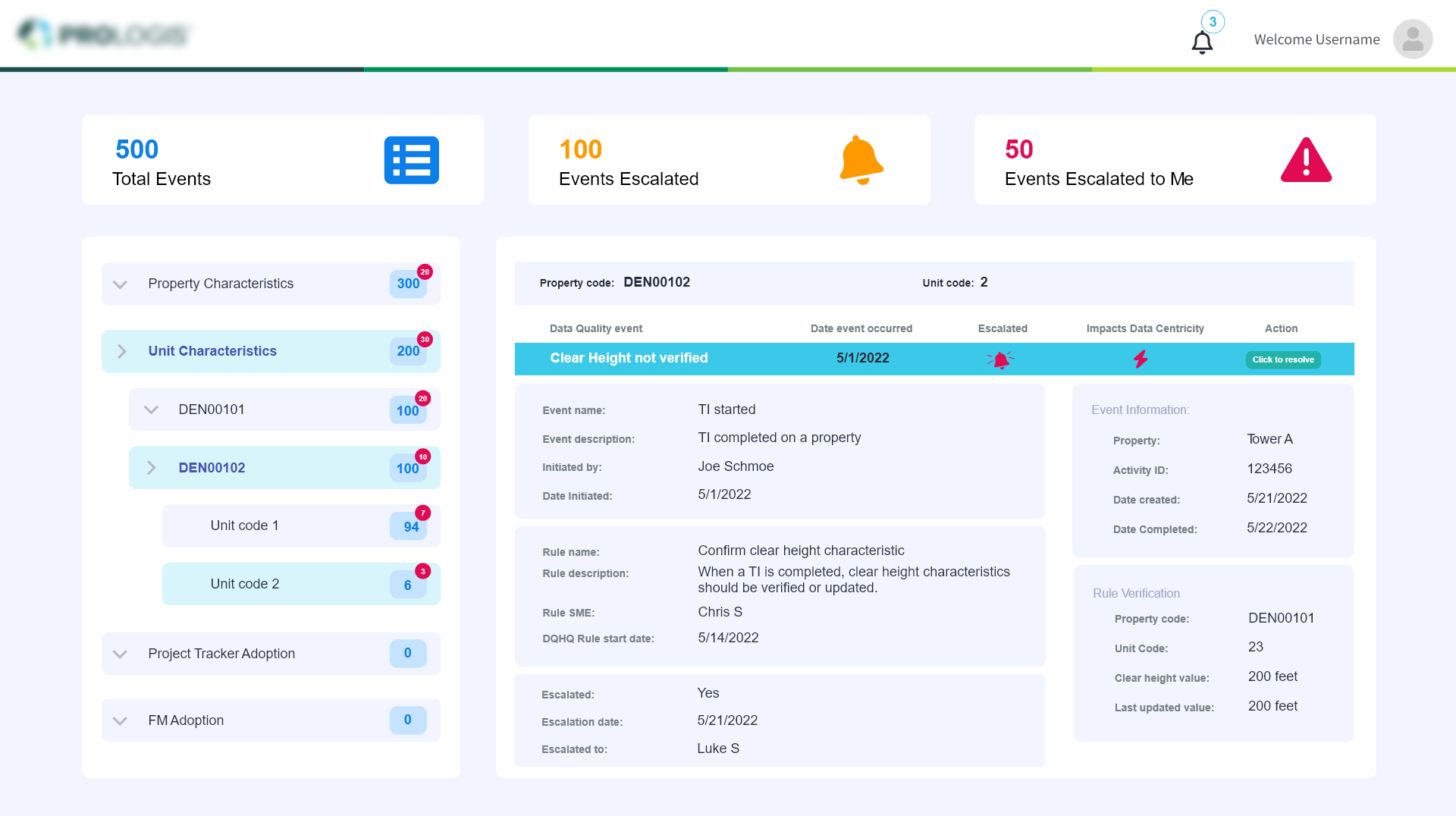
Contextual fly-out drawer provides comprehensive forensic drill-downs: automated rule descriptions, historical unit logs, SME assignment notes, and automated compliance validation checks directly beside the live data attributes.
Measured Impact & Practical Compromise
Constraints & Pragmatic Compromise
Given the aggressive 3-month timeline from concept to engineering freeze, an ambitious automated rule-generation engine was consciously phased into the V2 product roadmap.
Strategic Pivot : By ruthlessly prioritizing reliable ownership tagging, timestamped audit history, and direct inline resolution, we resolved 85% of immediate operational pain without risking delivery deadlines.
Business Impact & Leadership
"Operational teams valued ownership clarity and accountability far more than complex reporting widgets. By creating a unified source of truth, resolution time dropped significantly and email escalations were virtually eliminated."
In-Store Fashion Kiosk — Virtual Trial Assistant
A mix-and-match staging room with a live price tally for in-store shoppers.