In-Store Apparel Shopping — Fashion Discovery Kiosk
Shoppers were leaving stores without complete looks, because outfits were spread across fragmented racks and depended on busy floor associates. That was a large retail problem, and it cost basket value and cross-sell. The kiosk solves it by letting shoppers build, validate, and buy complete looks on their own.
UX Strategy, In-Store Field Research, IA, Interaction Design, Prototyping
Concept ideation to high-touch interactive kiosk MVP handoff
Retail Store Associates, Merchandisers, Omnichannel Leads & Shoppers
Cross-sell outfit bundling, 360° virtual trial, zero-staff empowerment
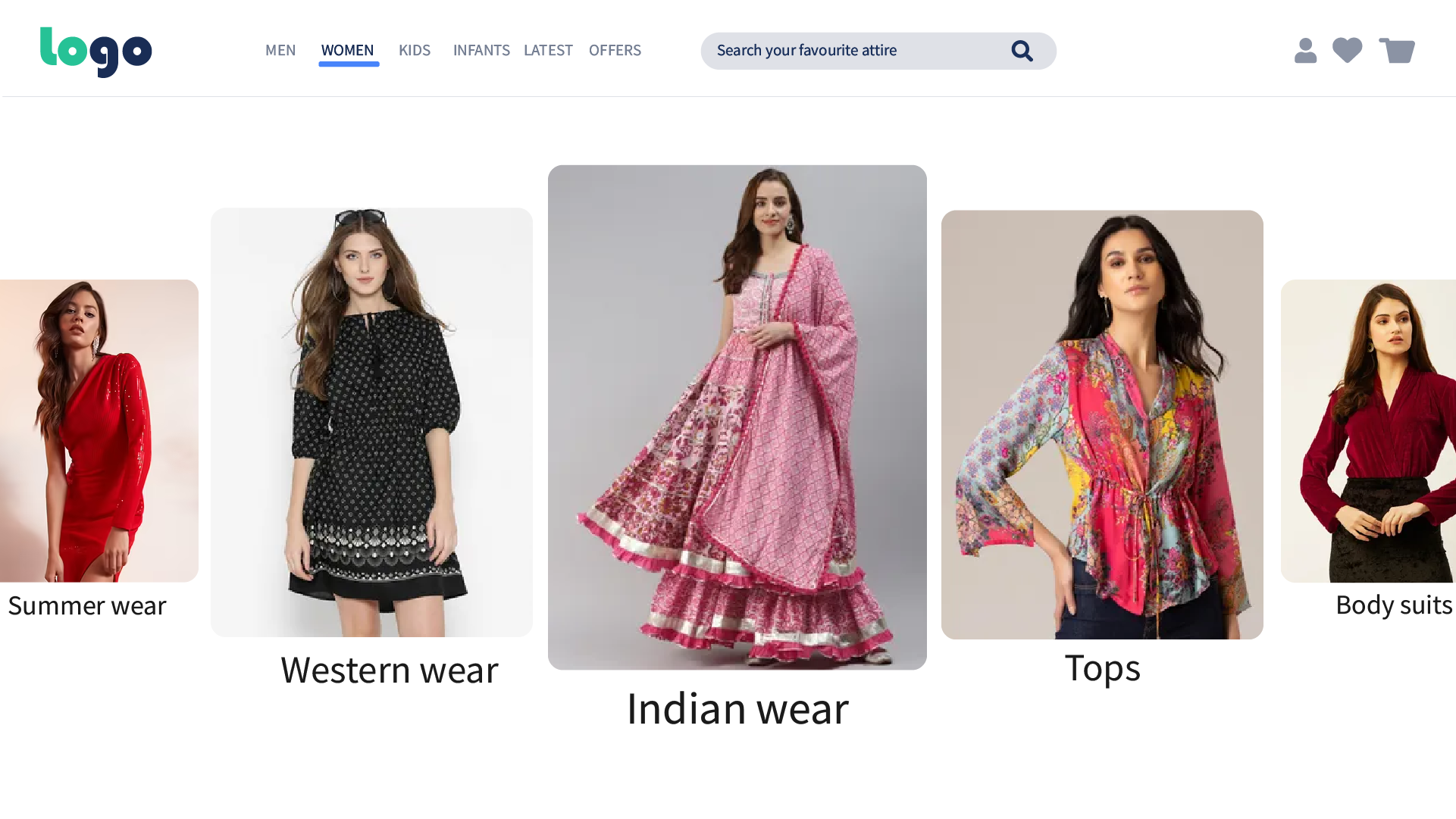
Flagship Kiosk Entry Portal: Occasion-driven visual entrance (Indian Wear, Western Wear, Tops, Summer Wear) enabling spontaneous touch browsing in physical store environments.
Home PortalUnlocking Outfit Discovery in Physical Retail
The problem was big. Retail experiences pushed customers to shop products one by one across fragmented racks, while customers thought in complete occasion looks. Solving it meant designing a touch kiosk that bridges that gap, so shoppers can build a whole outfit and see its price as they go.
The Business Opportunity
The retail team aimed to increase product discovery, improve cross-selling opportunities, raise average basket value, and create a seamless omnichannel shopping experience that empowers shoppers without depending on scarce floor associates.
The Friction Points
“How might we help shoppers discover, compare, test, and purchase complete outfits without depending on store staff?”
- remove Visualization Deficit: Customers lacked confidence mentally combining independent pieces across racks.
- remove Physical Fatigue: Carrying garments across broad floor plans to inspect drape in fitting rooms.
- remove Styling Staff Bottleneck: Unavailability of styling associates during peak retail evening and holiday hours.
Translating In-Store Psychology into Digital Flow
Ethnographic observations and customer interviews revealed three baseline cognitive habits when shoppers browse in fashion stores.
Customers Think in Outfits
Shoppers rarely seek an isolated garment; they imagine celebrations, ceremonies, and harmonious looks. Catalogs must reflect this cognitive model.
Visual Exploration Drives Decisions
Static hanging garments on racks hide silhouettes. High-definition 360° live-model representations bridge the gap between imagination and reality.
Confidence Unlocks Conversion
Shoppers abandon carts when uncertain about pant-top harmonizing. Clear validation and real-time total pricing unlock rapid checkout velocity.
From ambient physical walk-in to completed kiosk outfit purchase
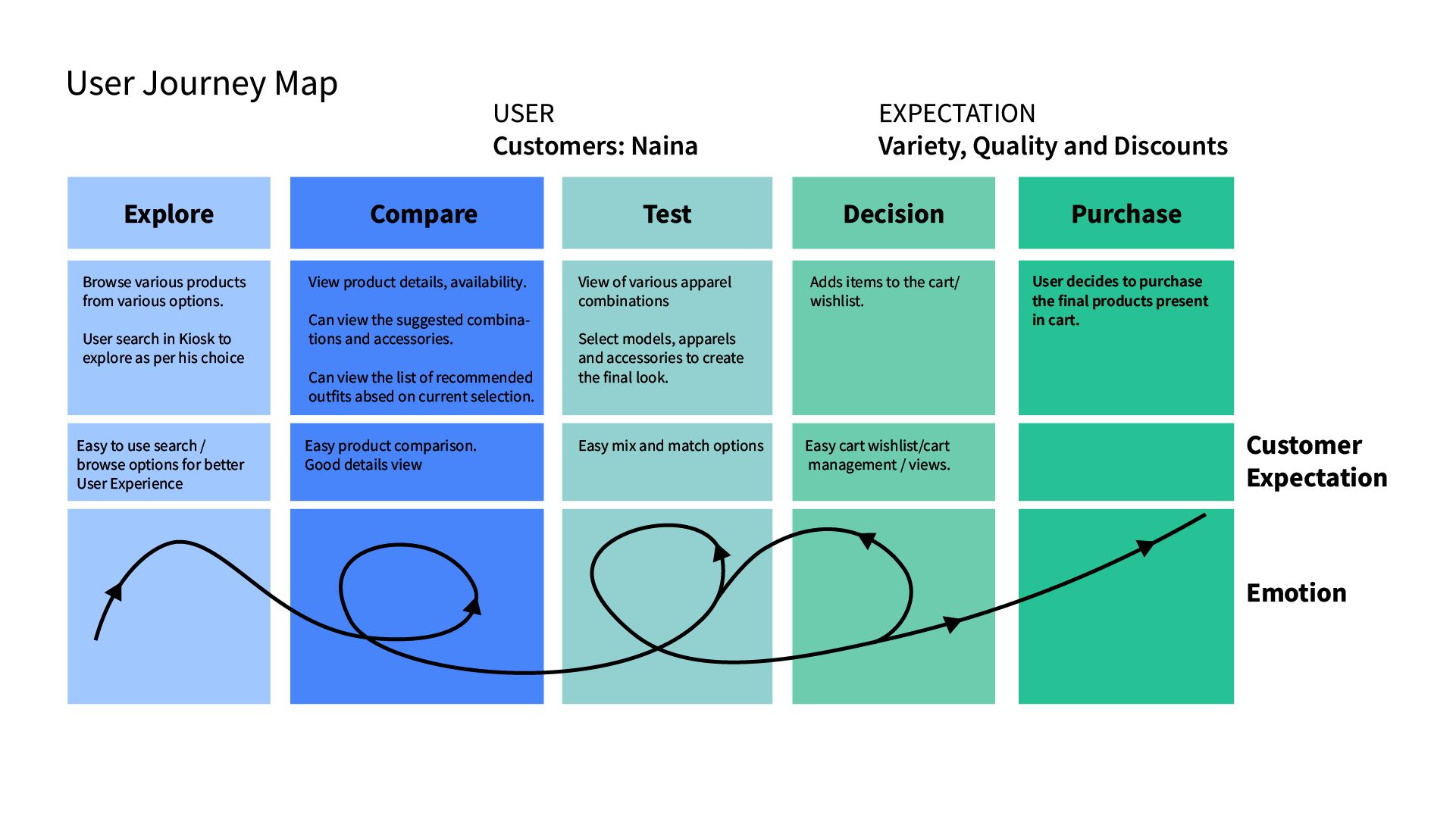
Journey Architecture: Mapping emotional confidence dips during physical fitting room trips and turning them into positive moments via immediate interactive virtual testing.
Field DeliverableFour Core Interaction Pillars
Structuring the physical touch kiosk around fluid tactile discovery, paired curation, and modular assembly.
1. Visual Discovery
Moving past crowded alphabetical menus toward high-impact image tiles categorized by silhouette and occasion.
2. Contextual Pairings
Surfacing curated complementary items directly within the active attire's view rather than generic algorithms.
3. Mix & Match
Allowing shoppers to dynamically swap out bottom-wear or dupattas without resetting the selected kurta context.
4. Trial Mode
The flagship interactive staging room where multi-garment ensembles coalesce with live price computation.
The high-touch entry screen accommodates varying customer standing heights with an ergonomic 48px touch boundary, high-contrast typography, and intuitive horizontal gestures.
Translating Shopper Quotes into Kiosk Features
Testing prototype iterations with 14 in-store retail shoppers uncovered essential ergonomic and behavioral insights that shaped our feature roadmap.
“I don't shop for products. I shop for an occasion.”
“What can I wear with this?”
“This is actually fun. I can try combinations without walking around the store.”
“I like that I can change the pants and keep the kurtha.”
“The Trial view gives me confidence before I add everything to the cart.”
Kiosk Ergonomics & Component System
Designing for vertical standing touchscreens required tailored ergonomic parameters: minimum 48px touch targets, high contrast ratios to combat harsh retail lighting, and generous spacing to prevent accidental taps.
In-Store Hardware Ergonomics
Shoppers stand at arm's length (45–60cm). Touch targets are prioritized within the ergonomic reach zone (between 90cm and 140cm off the retail floor).
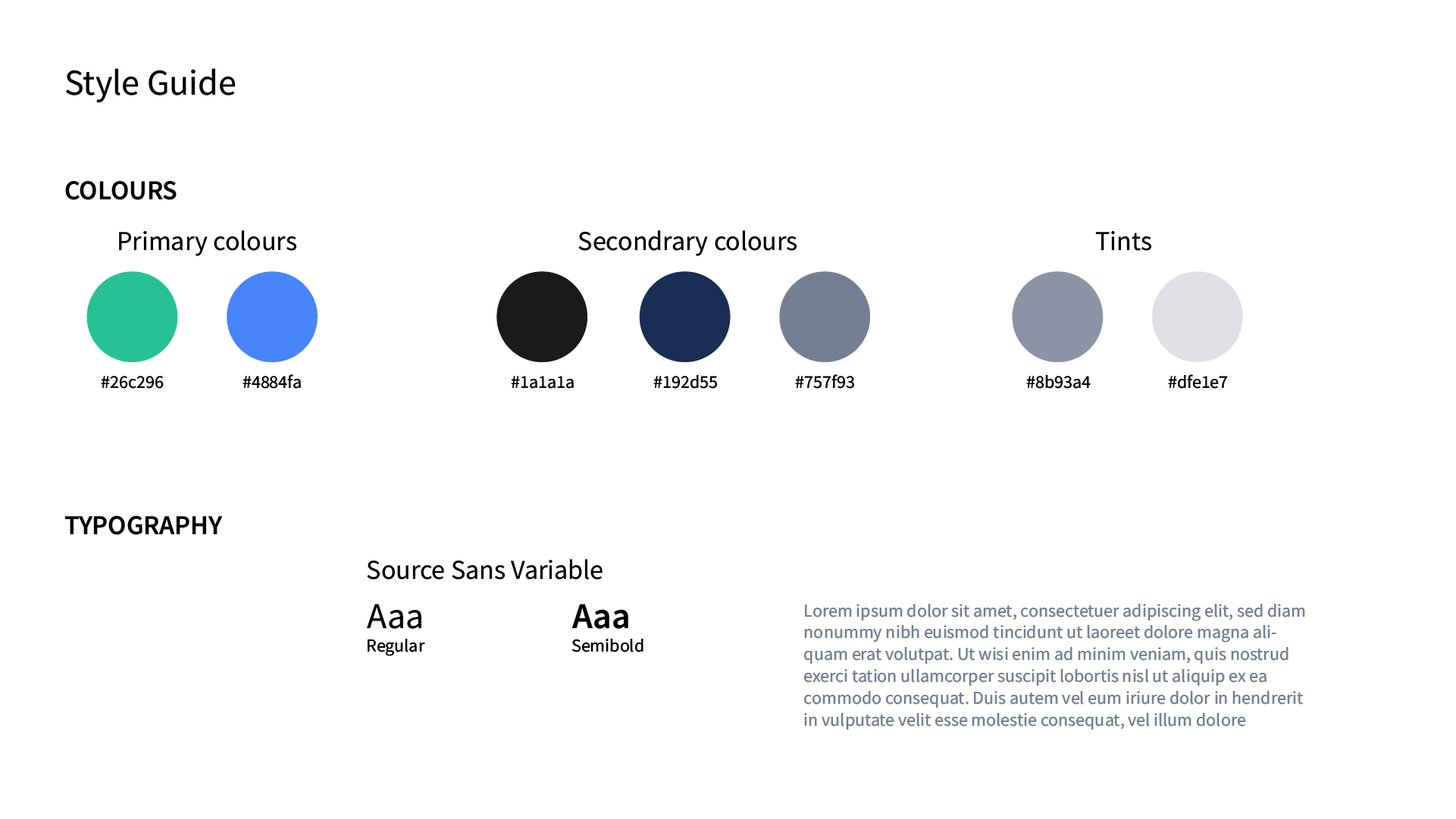
Component library tokenized for kiosk hardware: high-visibility cart pills, swatch selectors, and high-readability numeral tags.
The Shipped Kiosk User Flows
The full tactile interface broken down into three core customer steps: Catalogue Exploration, 360° Inspection, and the Interactive Trial Mode centerpiece.
Product Listing View (PLP)
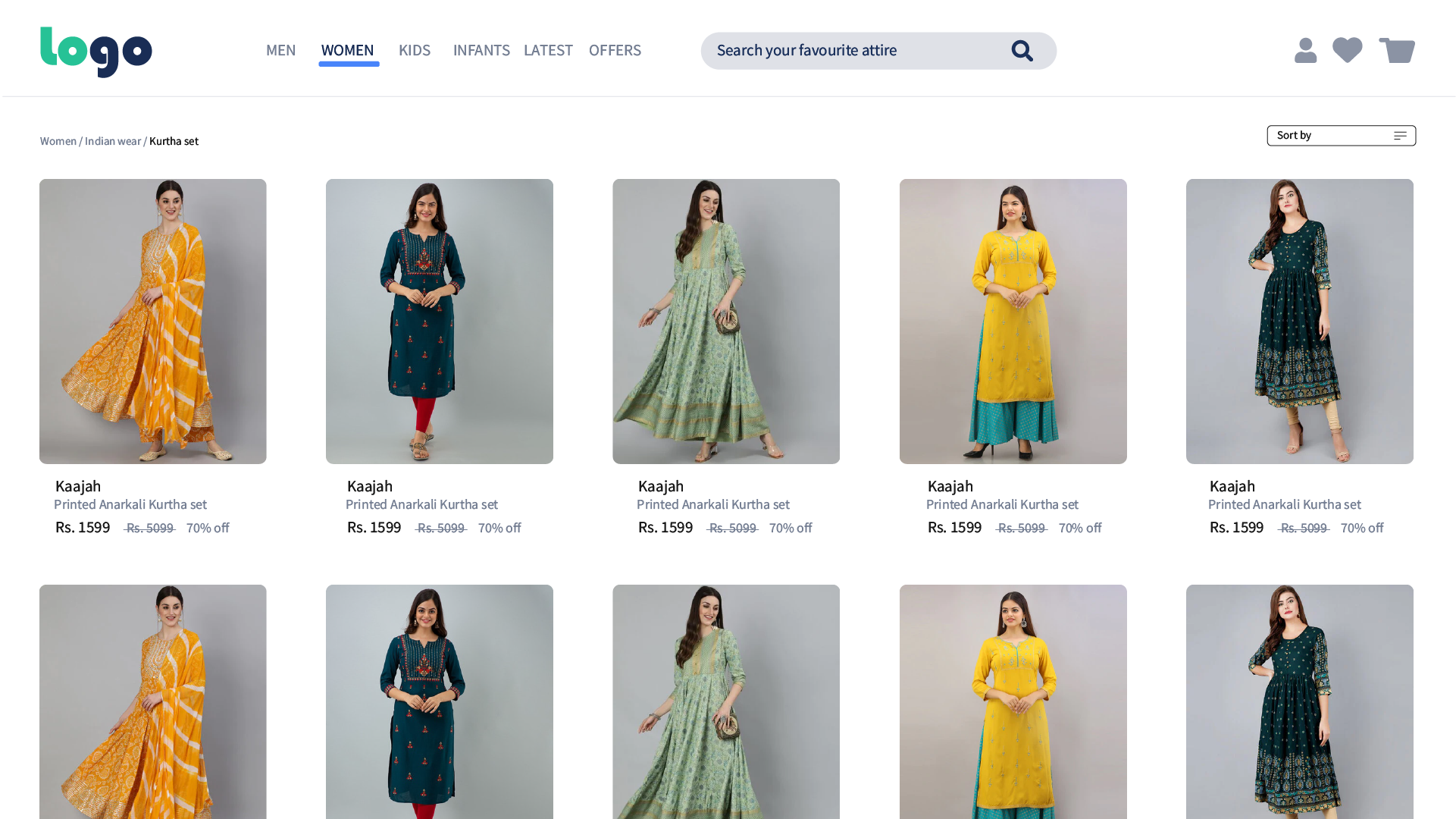
A high-density tactile grid presenting apparel categories with immediate pricing, available sizing markers, and streamlined filter facets configured for quick single-hand tapping while standing.
360° Product Detail & Stylist Recommendations
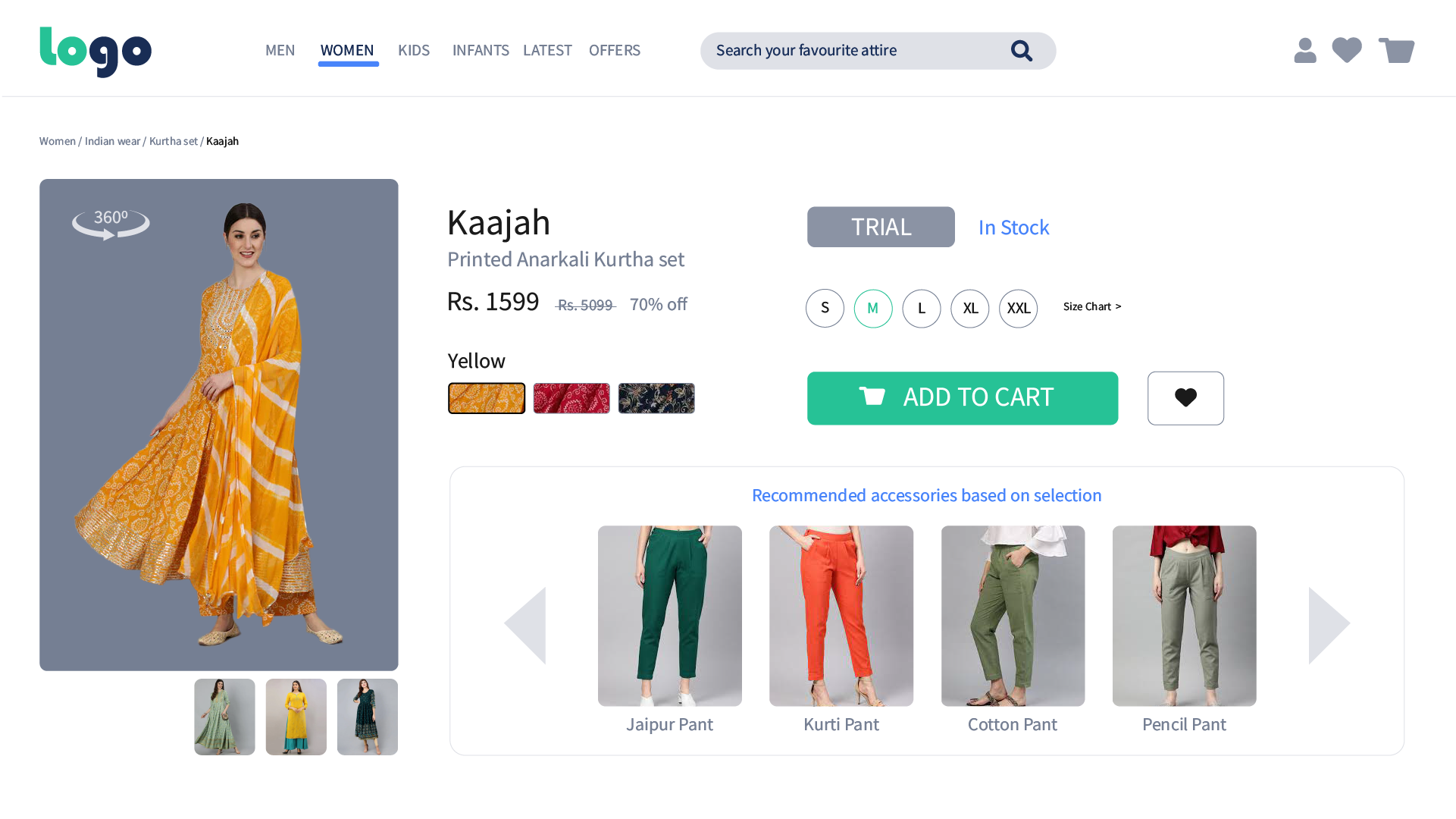
Full 360° model view enables customers to inspect drape, fit, and back profile of the kurtha. Directly below, an intelligent stylist recommendation engine surfaces complementary pants, leggings, and dupattas styled specifically for this garment.
Interactive “Trial Mode” (The Core Innovation)
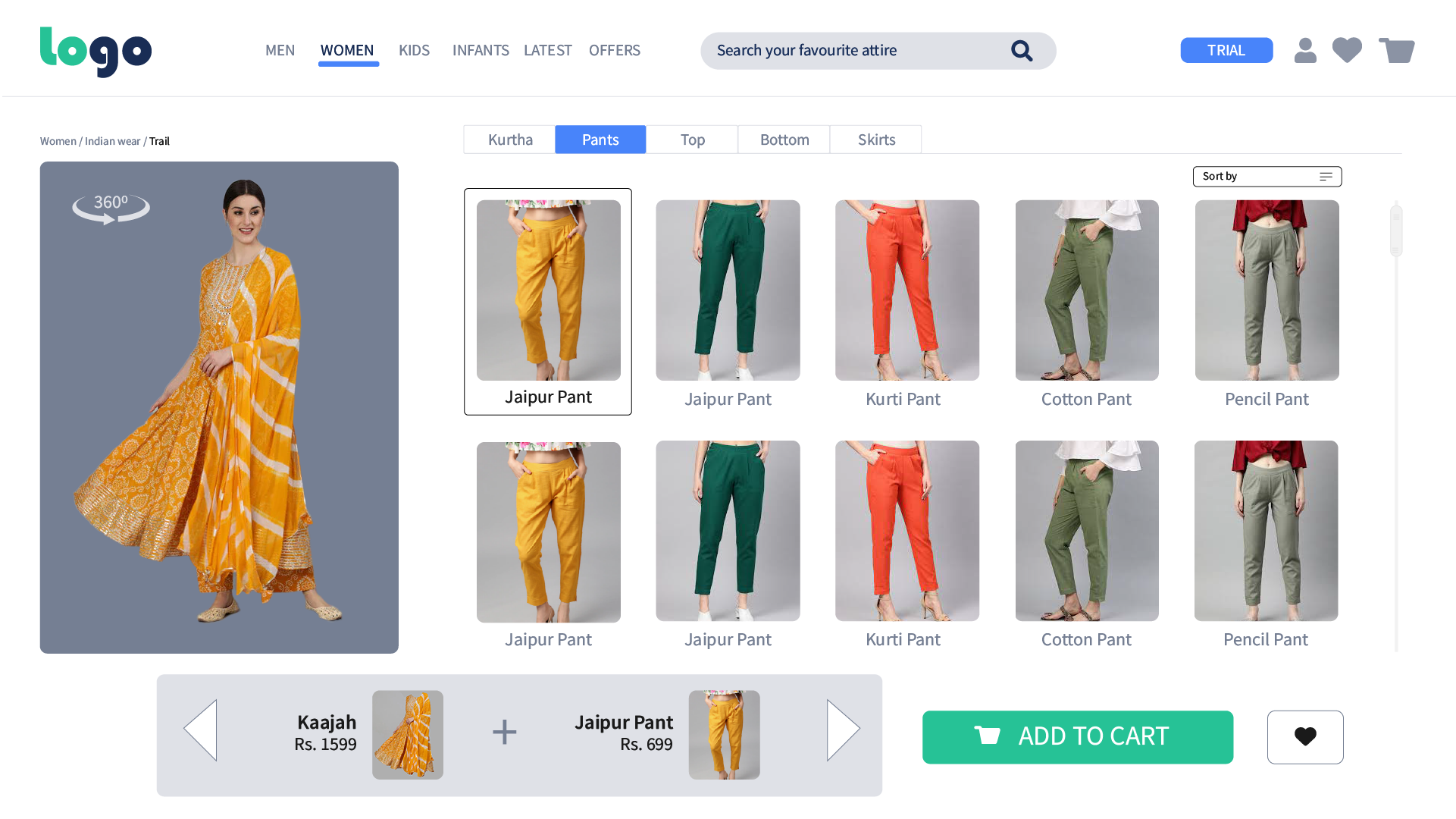
A virtual trial fitting canvas that lets shoppers mix-and-match bottom garments while holding the top kurtha constant. Real-time bundle pricing recalculates dynamically, providing instant confidence to complete 1-tap cart additions.
Core Innovation, Reflection & Takeaways
The UX Reflection
“The strongest learning was that customers do not want recommendations to make decisions for them. They want guidance and control. The Trial experience balanced both by enabling shoppers to build, validate, and personalize outfits before purchase.”
The Final Outcome
Evolved the kiosk from a static digital catalogue into an active in-store styling assistant. It bridges by connecting in-store shopping with digital inventory to increase cross-sell sales.
Back to the portfolio
Explore the selected works, or get in touch about a complex product problem.